MCPE DL

Mods, Maps, Skins, Seeds, Texture Packs

Published on February 17, 2019 (Updated on December 21, 2019)

UltraMax Shader

A shader pack that subtly change the way you look at Minecraft.

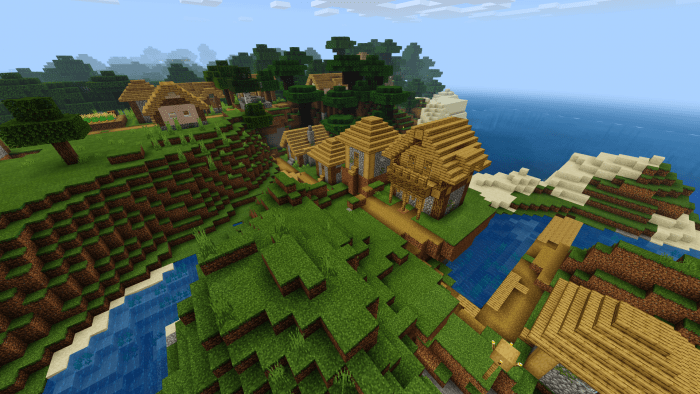
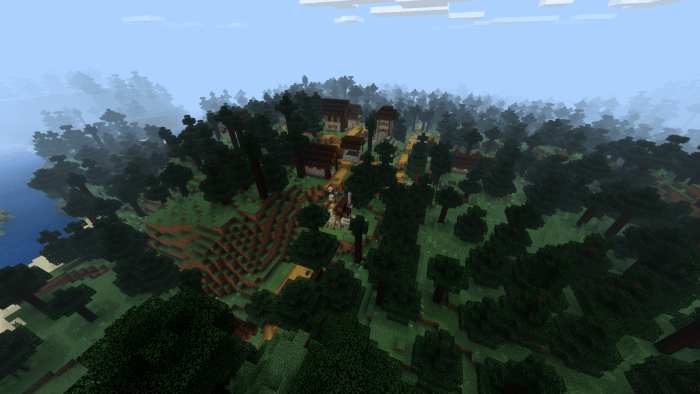
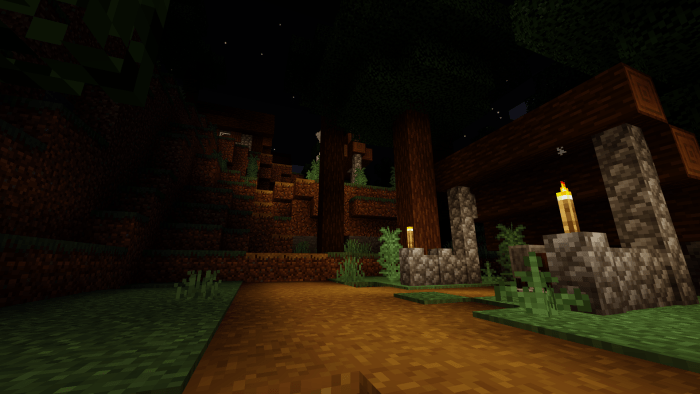
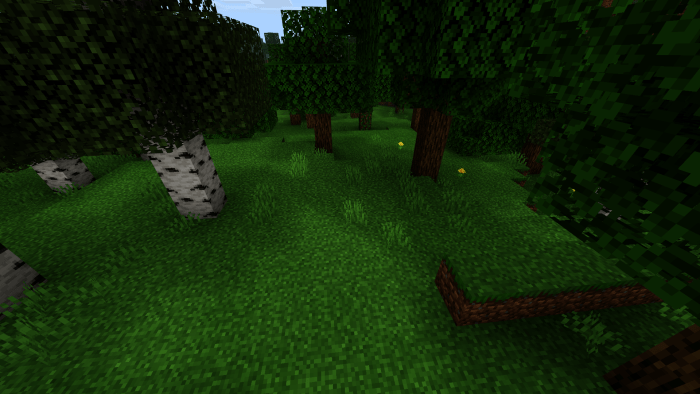
This shader pack is aimed to improve some of the basic lighting and visual projections by introducing a very unique way of rendering it in its own way. Colors are more vibrant, surroundings are more atmospheric, and even the overall gameplay.

Have a shader nice and pretty, basic makes unique.

Proudly presented to you by Ultra Shader Foundation.

REMINDER:
Due to changes in entity rendering methods, this shader pack can only work on version 1.14 and above.

PLEASE NOTE:
My shader pack is designed to ONLY WORK ON RELEASE VERSIONS NOT BETA VERSIONS because I'm too lazy to sign up for beta plus beta versions are tend to be unstable anyway...

WARNINGS FOR SNAPDRAGON USERS:
UltraMax Shader have been confirmed to not be compatible with majority of Adreno based GPUs. If your phone is a Snapdragon chipset or has an Adreno GPU, unfortunately this shader pack is not for you... Unless somehow I find a way to fix it...


Identifying Compatibility:
To identify whether or not this shader is compatible with your device, check your character skin in the home menu:
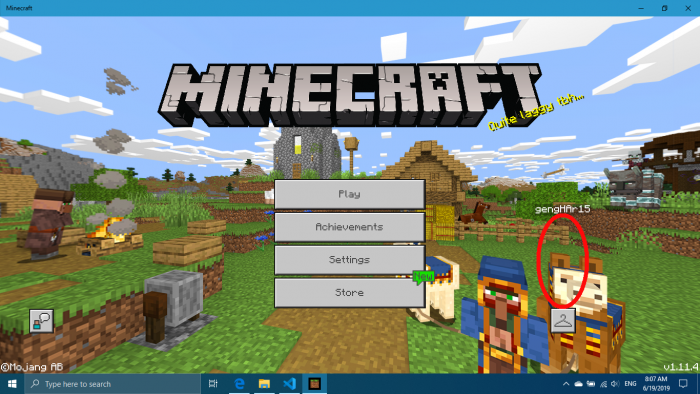
If the character is invisible, that means this shader pack is incompatible with your device. In some rare cases, you may have the character render properly but the rest of your world seems out of place. From here, proceeding the use of this shader pack is at the user's risk...

Meanwhile,

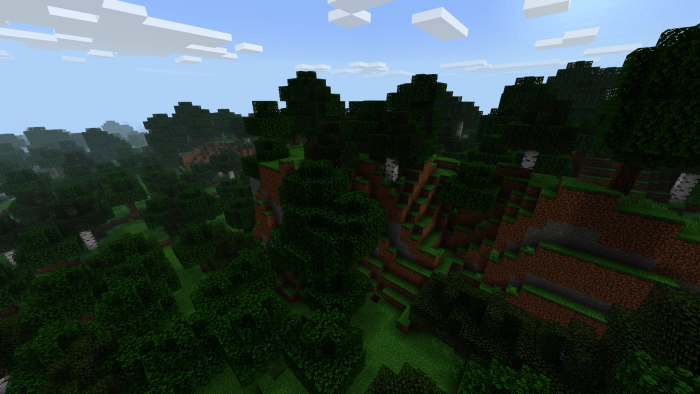
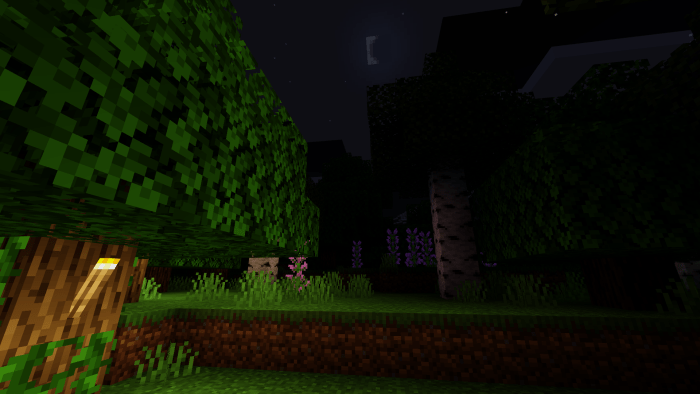
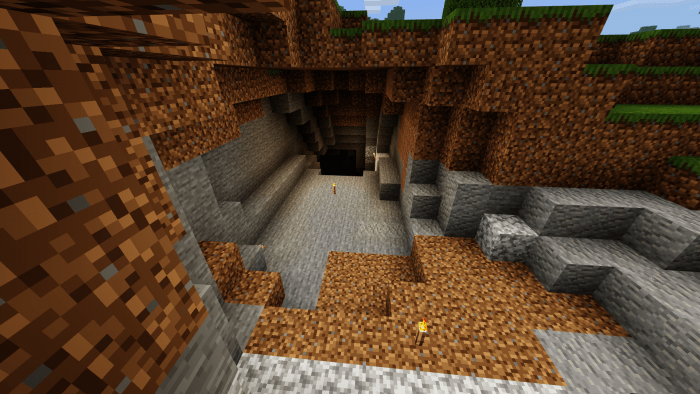
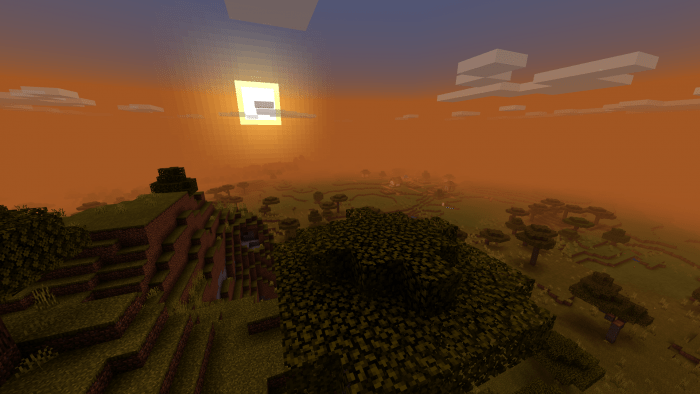
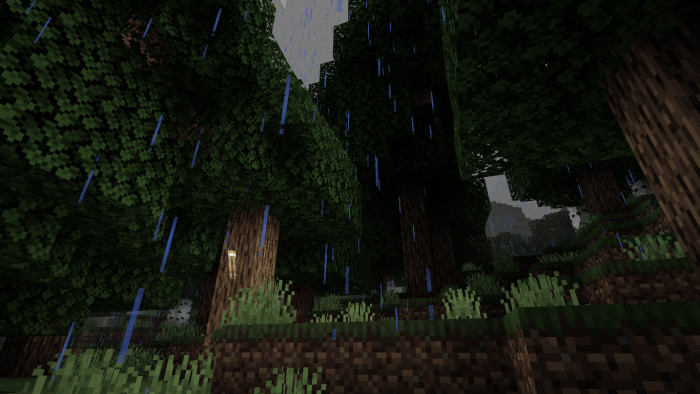
Have a look at some screenshots I captured here.
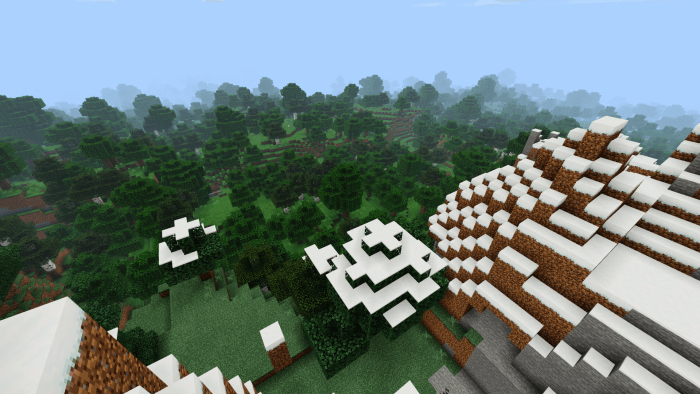

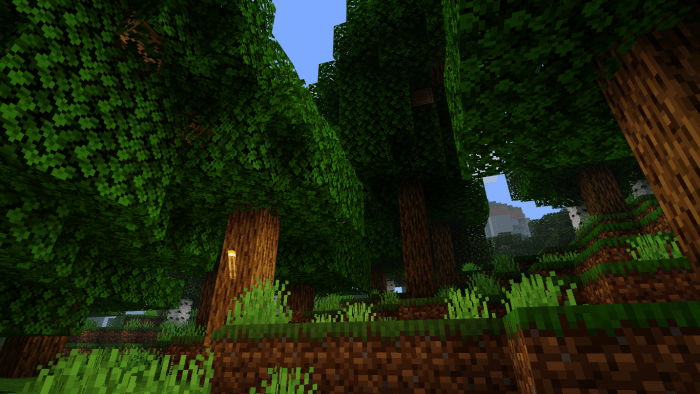
Monochromatic effect when raining.
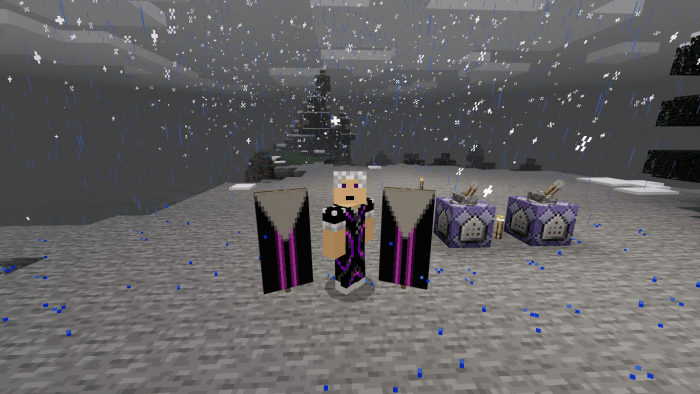
Monochromatic filter will not affect entities and banners:
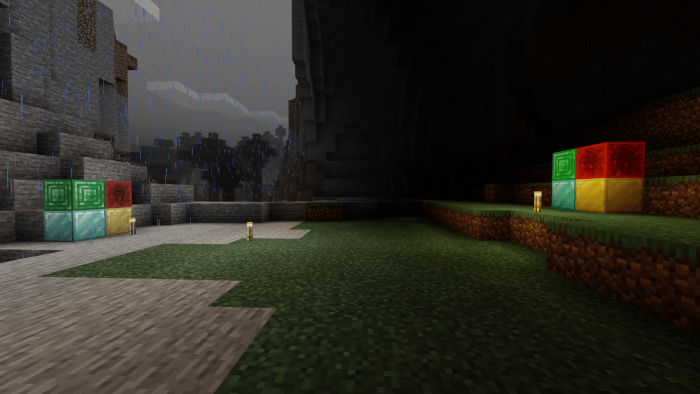
Monochromatic filter will no longer affects your experience underground:
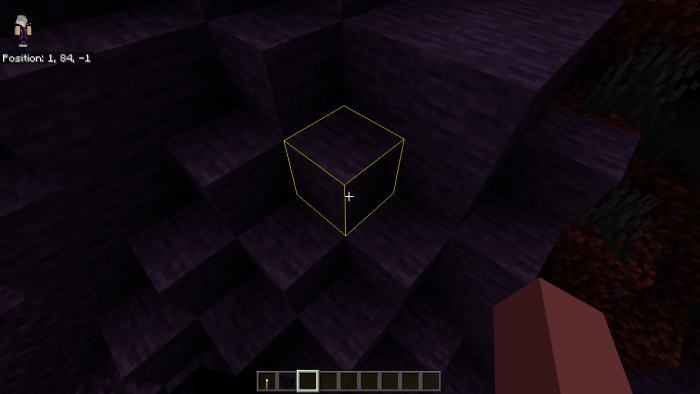
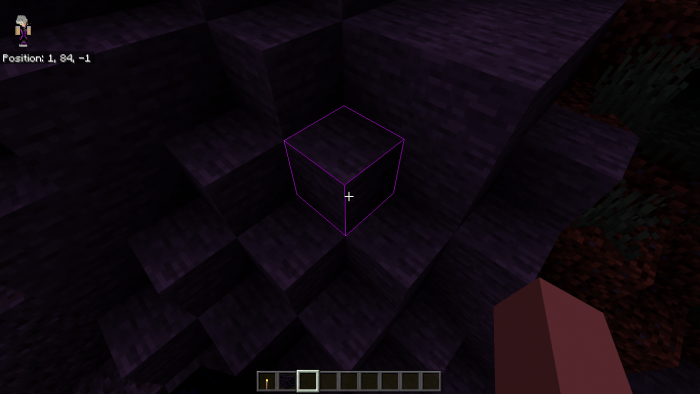
Chroma Selection Box:
- Not affiliated with Razer,
- Only applicable to Chroma version of the pack.
New wave rendering method (Best watch in-game):
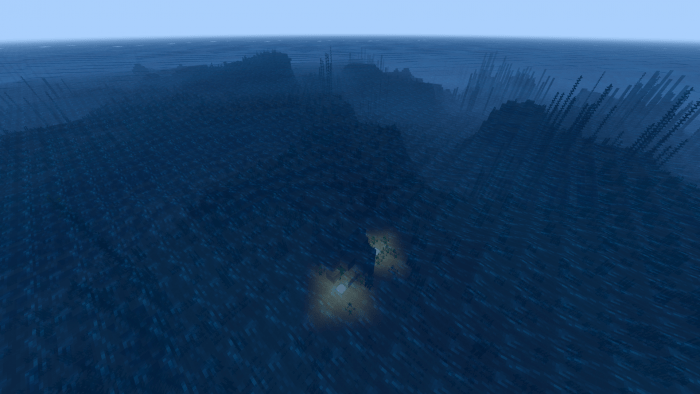

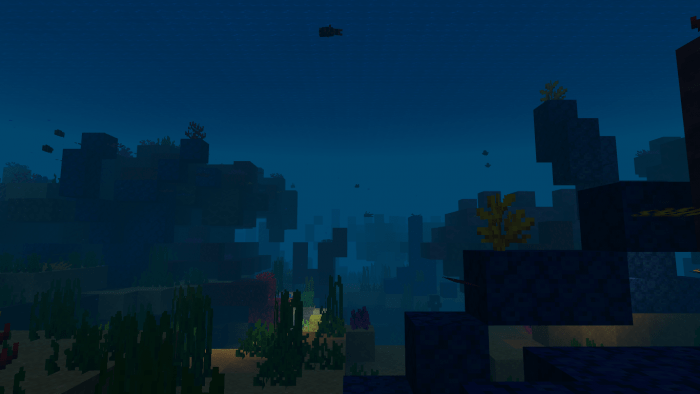
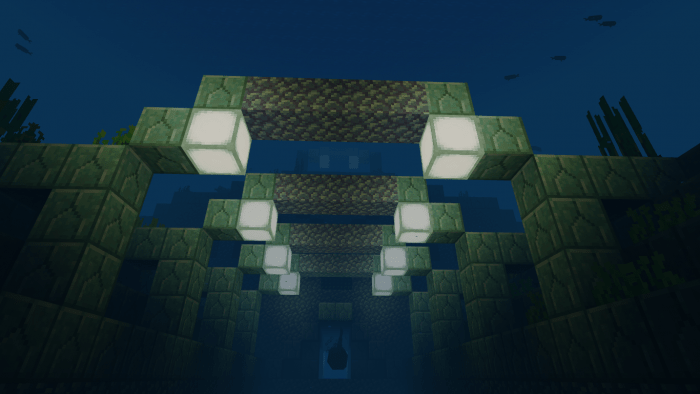
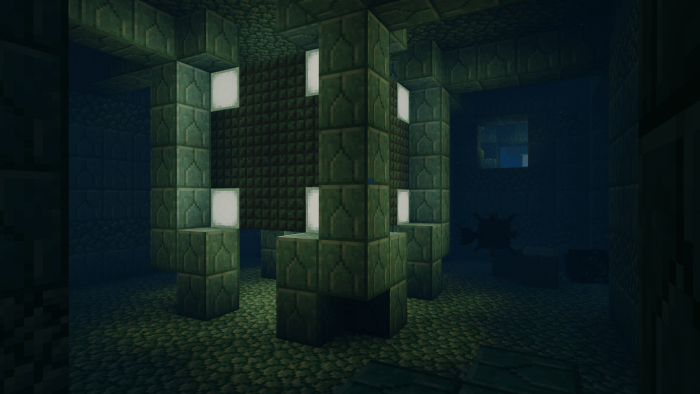
Underwater:
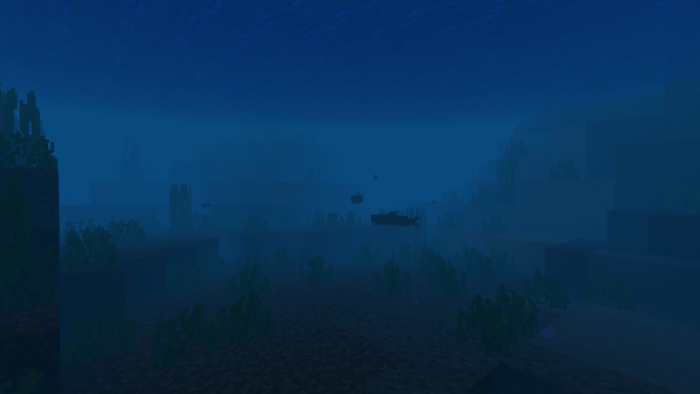
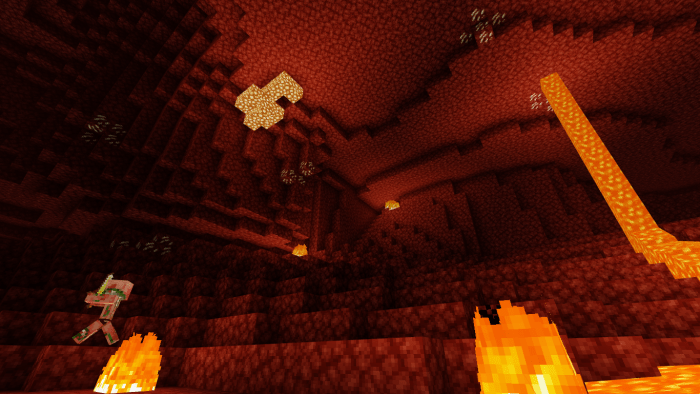
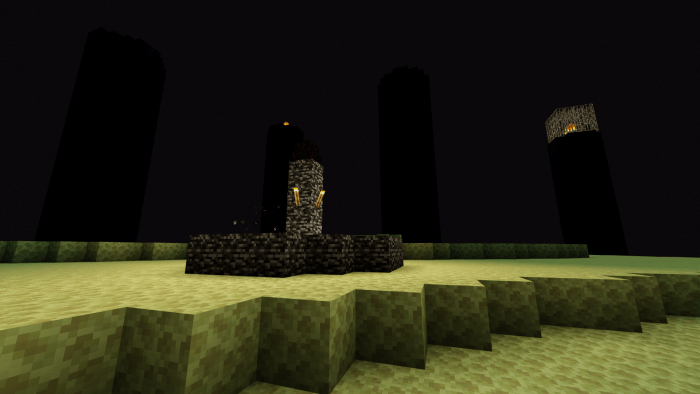
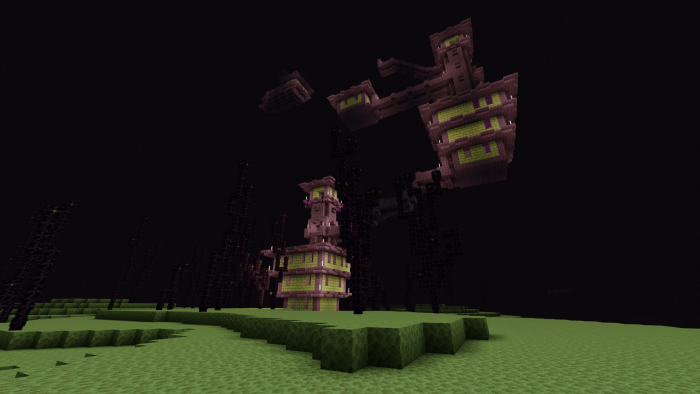
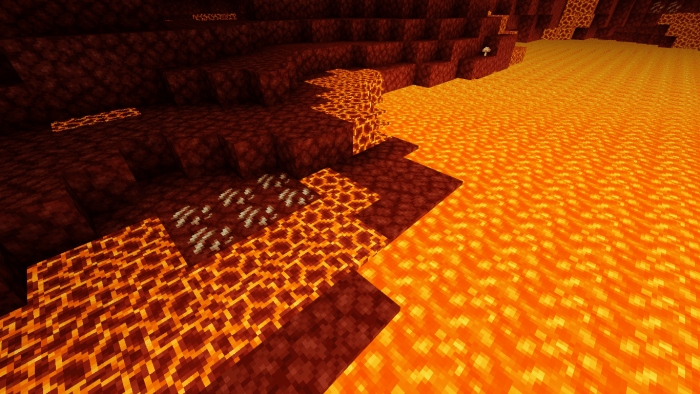
Dimension views:

Improved beacon beam:
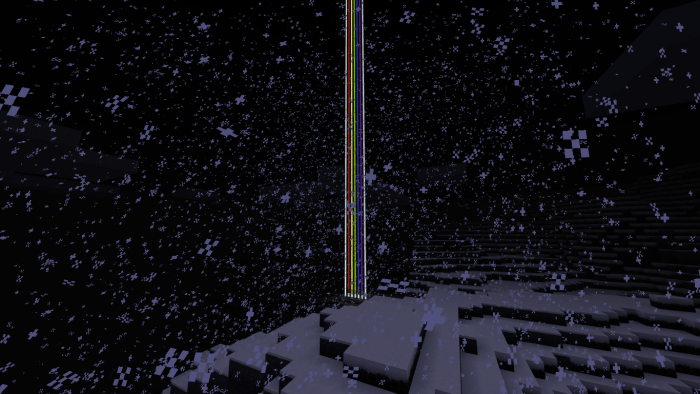
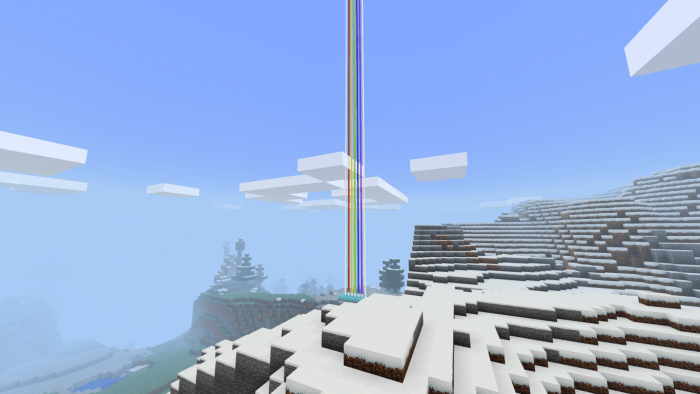
UltraMax Shader now have shadows!.. Although previous implementation is just generic Minecraft Shadow...
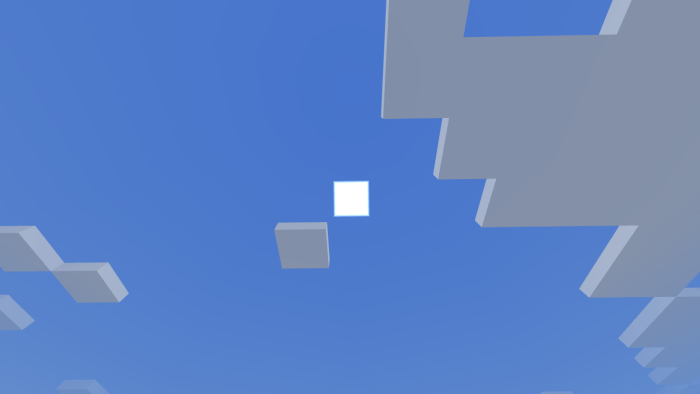
Shader based sun and moon! And it's squared!
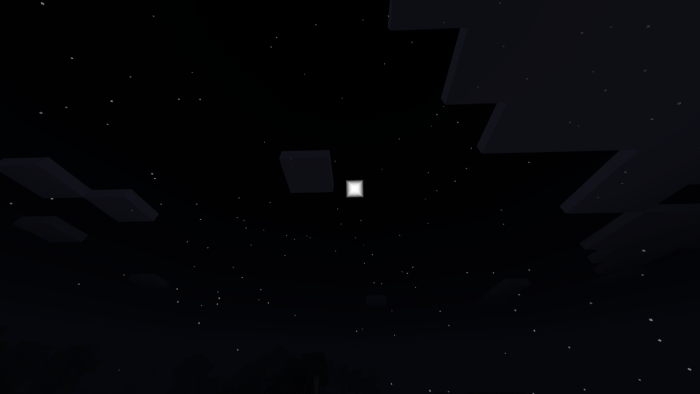
Pictures taken are from Windows 10 edition of Minecraft. For further information, please read the Terms and Conditions included with the pack or contact Ultra Shader Foundation via email at [email protected].

Select version for changelog:

Changelog
  1. Updated resources to version 1.14+.
  2. Fog now renders closer to player when raining. Note that this effects also applied underground and when facing down. Going to fix that one once I have a proper fix for it.
  3. Shader based, squared sun and moon.
  4. Exposed last versions of UltraMax Shader under one single link for backwards compatibility and last working version reference. Take note that Ultra Shader Foundation no longer provide last version support for any issues arise apart from using them to determine the current issue.

Installation

Downloading Guide:

  1.  On PC, click the link. You will be redirected to OneDrive cloud storage service.
  2.  In the directory, choose your desired pack version. Clicking the zip files will download them, clicking the mcpack files open up a preview. There will be a download button there.
  3. On Mobile, same ordeal...

Supported Minecraft versions

Resolutions

Installation Guides

323 Responses

Comments 323
4.11 / 5 (186 votes)
1
I love this shader, I've been using this shader for a very long time. I would recommended
and the water also has waves! The only thing I hate is the Monochromatic filter but its overall good!
Log in to Reply
1
Is this supposed to be a vanilla shader?
Log in to Reply
1
1
I always use this shader because I love it! But the banners are invisible and I hate a little bit there is grey fog when I look down. If the fog was less foggy and the banners are visible, I rate the shader 5 hearts and share this to my people.
Log in to Reply
1
For people who have issues with the banners who is invisible:

go to games/com.mojang/recsource_packs/UltramaxSh/shaders/hlsl and rename the file banner.fragment and banner.vertex to banners.fragment and banners.vertex. It’s just the letter s. It’s actually working.
Log in to Reply
1
when it was available, it worked on my snapdragon 425 but it was laggy lol
the download link is now not working, I uninstalled my whole Download Folder so I needed to install this again, but now I am using ReBuilt Shader :D
Log in to Reply
1
To everyone asking for an update, they made a new shader called rebuilt shader, so check that out
Log in to Reply
Can someone tell me how to eliminate the movement of the plants and that the water is flat pls
Log in to Reply
Please fix the error.banners are invisible after activating this shader.I really want to continue using g this shader so please
Log in to Reply
browse to location AppData\Local\Packages\Microsoft.MinecraftUWP_8wekyb3d8bbwe\LocalState\games\com.mojang\resource_packs\UltraMaxSh\shaders\hlsl and rename the files banner.fragment and banner.vertex this will semi fix the banners not showing
Log in to Reply
1
To what do I rename it?
Log in to Reply
How??you rename then what exactly word or numbers or something
Log in to Reply
1
go to games/com.mojang/recsource_packs/UltramaxSh/shaders/hlsl and rename the file banner.fragment and banner.vertex to banners.fragment and banners.vertex. It's just the letter s. It's actually working.
Log in to Reply
PLSS just update and fix something don't change anything like the lights and do not add shadows cuz it'll LAG just UPDATE THIS PLS HUHU LOL
Log in to Reply
I'M BEGGING YOU TO UPDATE THIS SHADERRR!!PLSS ASAP
Log in to Reply
1
Check Out ReBuilt Shader. He made a new pack for 1.16
Log in to Reply
1
Is a great shader for very low devices of every kind but it would Excelent if you do the light a little more bright, cause is kind of to dark, thats the only change i recomend you
Log in to Reply
I wish there were a version without the water waves and foliage and plant waving, really good shader though and runs really well on my potato phone.
Log in to Reply
1
Leaves looks weird, add options to disable features.
Log in to Reply
Guest-5687645033 May 10, 2020 at 3:50 pm
black or white version whats the differince
Log in to Reply
can you add shadows to this shader? I really like this shader
Log in to Reply
Guest-2096420903 May 08, 2020 at 1:34 am
the point of the shader is so there is no shadows because its supposed to be a simple shader that just helps with lighting not shadows
Log in to Reply
works with mcpe 1.12.0.9 beta?, i know that this shader doesn't support with beta versions but a lot of mods support with my version.
Log in to Reply
It looks really nice! The game is not denaturated, it just adds what is needed.
Log in to Reply
I really don't think the leaves juggling and water waves will work. It looks kinda weird. If you make the waves and leaves effect not moving so much and slow, it will be much better because the bushes looks really weird. :))) hop you fix soon
Log in to Reply
I think what you mean is its stiff.
Log in to Reply
This Shader is awesome, I've recently downloaded Windows 10 on my Macbook Pro since my old computer was too slow. Bedrock is optimized much more than Java so being able to run such a beautiful shader without any struggle from my computer is great. I tried a bunch of other shaders on the website and this one has looked the best so far, literally nothing I can find wrong with this pack. There was one effect in another shader, (I think it was ESBE 2G) that had an underwater light rippling effect on the ocean floor. I think some underwater effect similar to that would look great in this shader. Overall, good Job!
Log in to Reply
Wait, Can you install Win10 on a Mac? xD
Log in to Reply
Guest-1143945159 May 29, 2020 at 9:19 pm
of course you can
Log in to Reply
is there a way to get the 1.1 but without the moving waves?
Log in to Reply
Hello, I love the shader but there is something I do not like about it, because I play in 8 chunks but when I use the shader it seems that I play in 6 or 7 if they tell me that I must change so that the chunks look normal please
Log in to Reply
This shader is so nice! I play on an ipad (not so good one) and most shaders lag for me... thanks for creating this its really good. Didnt like the sky tho so I tried another texture pack that changes the cubemap. I placed the pack over the shader and it still worked with the exception of the sky (most shaders either dont work like that and gets very glitchy or just doesnt work at all)
Log in to Reply
Wow! What a very ultra nice shader! This is the my most favorite shader through years playing lf Minecraft made by simplicity! And for High or Low end devices! I also love the enhanced vibrant color of the textures! So keep it up!


That's all! sorry for my English, I really love yourr shader! God Bless! <3
Log in to Reply
1
If your a mobile player try The thin White Shader it fits in your minecraft and i always use it it also work on ios,windows, and Xbox :)
Log in to Reply
Why did you make it so complicated to download, I can’t download it because it says that I am not authorized
Log in to Reply
Try again. Worked for me.
Log in to Reply
1
This shader is the most comfortable one that I've ever seen in MC Bedrock Edition ヾ(≧▽≦*)o
I like the warm color of the old versions such as 1.0.8 but I also like the water wave effect such as 1.1.0 too. Could you please combine them in the next version?
And maybe change the look of the sun and the moon? It looks weird.
Log in to Reply
Download a pack that changes the sun and moon. It should work (I tried and it worked)
Log in to Reply
I would like very much to make the night less dark
Log in to Reply
I love it but you should really fix the darkness, it's WAY too dark like you can barely see anything during the night / inside caves, I mean, I like the fact that you tried to make the night look "realistic", but sometimes being realistic isn't good, especially when torches in this game won't give you any light while you are holding them, they must be placed and that's really annoying.

Also, is it normal that during raining everything looks so grey? Like, a grey filter is triggered when the raining starts, it's odd but I would really like to know if that's the way it should be.

I'm looking forward to improvements, keep up the good work!
Log in to Reply
I love these shaders as I see them as enhancing the look of minecraft while still looking like it was only a official lighting change from mojang themselves but I only have one complaint; the waving animation seems laggy to me. I've used other shaders and have never had these problems with the ones I've tried but for some reason, the animation itself seems laggy. My game runs smooth even with these active but the waving speed seems slow. Not sure if its a problem with IOS and Ultramax but as mentioned before, I use other shaders and don't have this problem on IOS either. Other than that, these shaders are perfect and will hope this is fixed in a update soon so I can continue to use these (btw I'm using the newest version with the black outline)
Log in to Reply
1
Super great shaders! Looks pretty real, only have a few problems and I don't really notice them.
Log in to Reply
I love the shader and everything. The only issue is water: WHY is it so strangely wavy! It even bugs out in waterlogged slabs and it looks terrible.
Log in to Reply
I feel the same way, only thing holding it back in my opinion.
Log in to Reply
What are you playing on? I’m playing on iPhone 11 v. 1.14.1 and it is invisble
Log in to Reply
that means it's not compatible read the description
Log in to Reply
1
Love the shader but stopped using it because the code rendered sun/moon aren't toggle-able. Please make this a toggle so I can use my textured sun/moon! (:
Log in to Reply
Can you update it to RenderDragon so Xbox players can use it too?
Log in to Reply
Just a suggestion, I use this shader all the time, I think it’s great. I think it would be a bit better if the waves moved smoother and directional sunlight would be great. I love this shader and just think there are small parts that need alteration.
Log in to Reply
1
Help! when I installed it my skin rendered in normally but when I entered a world/server everything was a bit darker than usual even my skin! how do I fix it? I am on windows 10
Log in to Reply
I figured out how to make it work on PE (not sure if it works in windows 10).It’s not because of a bad gpu or something, it’s because for what ever reason it doesn’t read zip of mcpack files correctly, only folders. So you have un zip it (it’ll turn to a folder) and use that instead and it’ll work when going in to a new world or just copy your old one. P.S This shader looks amazing, for Bedrock.
Log in to Reply
Hey man,i love this shaders,but please can you update this shader,why? Because you make redstone powder is move too,and some blocks when the weather is rain,the color of the block not darker(because monochrome effect right,but some block not change).simply just update this shader man,i really love it
Log in to Reply
I loved it but the plants, trees and the water move too much exaggerated that end up crossing the blocks
I would like that they did not move much and that there is not so much fog
out of that the rest is fine
Log in to Reply
I really love this shader! I love how it implements movement in plants and water like most PC shaders, too.
However.
I find it a little annoying when the water rises above blocks its height, and when leaves merge into blocks its near. I love this shader, but being able to see transparency under water and two blocks in each other somewhat breaks the immersion. Is there any fix, or past version that solves this issue?
Thanks again, and amazing work.
Log in to Reply
use mediafire, and make it a mcpack file. I don't know how to use zip file, please?
Log in to Reply
memang ada mcpack file pun tekan je
Log in to Reply
Mana? tak ada pun? tekan mana?
Log in to Reply
dalam onedrive tu ade dua jenis file tekan ultramax shader1.10.mcpack tekan download lepas download bukak notification panel pastu tekan file tu nanti automatik masuk minecraft
Log in to Reply
i love your shader but can you delete the recent sun and moon because it look weird
Log in to Reply
i mean the sun and moon look same
Log in to Reply
Colours are too warm in my opinion, other than that great shader.
Log in to Reply
Please make it work on minecraft pocket edition beta it is such a great shader .
Log in to Reply
I figured out how to make it work. It’s not because a weak gpu or something, it’s because fir what ever reason it doesn’t read zip of mcpack files correctly only folders. So you have un zip it to a folder and it’ll work when first going in the world or just copy your old one.
Log in to Reply
please help ,i have a medium-end device but when use this shader and i join a world the blocks and the water are invisible plz fix this bug cuz thats my favorite shader plz help
Log in to Reply
Mali GPU? Android and iOS unsupported I think
Log in to Reply
Hey Can You Add Player Shadows To This Addon? I literally thought the “shadow” you meant was player shadows although everything looks good and lag free to me
Log in to Reply
1
The water waves seem a bit strong, can you make it weaker?
Log in to Reply
I enjoyed this shader on the last update but the new update that has foxes renders eveything as invisible. How long would it take this to get fixed? Apart from this quality shader
Log in to Reply
Does it work for switch?
Log in to Reply
1
Does it work on xbox?
Log in to Reply
Great work! But can you make the light (torch, sunlight, etc.) feels warmer, and waving plants? or just make the light feels warmer xD I love this shader <3
Log in to Reply
1
Can I add these in my video?
Log in to Reply
I would like to know which version to install, Black, chroma or white?
Log in to Reply
1
It is possible to install it on xbox, but a manual install is necessary.
Log in to Reply
How do I do it manually? I need mediafire links.
Log in to Reply
Your pic is a cursed image, lol
Log in to Reply
This shader is really beautiful!
In one of my maps worked perfectly, but when I went to another the water turned black when I swam, I don't know why :(
Log in to Reply
That is not because of this shader pack. A black screen underwater is a vanilla bug.

Reloading your world after rebooting your game is an easy fix
Log in to Reply
1
Very good shader, but isn't working on Minecraft Xbox One 1.13.0.18. Please fix that
Log in to Reply
the water in this update seems a lot smoother, but it still no-clips through blocks, Also, maybe change the appearance of the water like other texture packs , so it might look smoother!

Thanks, Kenny
Log in to Reply
Please help me choose what shader should i use black or white or chroma? because is too many and please make only one shader in future update for easier.
Log in to Reply
Why the leave and grass not waving anymore
Log in to Reply
The one drive like isn't working, i click on the link but it it shows is a blank white page.

Any help?
Log in to Reply
1
On what device you're trying to download from?
Log in to Reply
Can you add water like the Parallax Shader? Or maybe even add dynamic lights? No one has working dynamic lighting.
Log in to Reply
1
Well you can add dynamic lights using a behaviour pack called real lights. But I think it will be a really good idea if the shader creator adds dynamic lights.
Log in to Reply
1
This shader is great and all, but it’s broken my other mod
Log in to Reply
1
I love your UltrMax shaders. Me and my friends always have them on my world.
Log in to Reply
Dude I don't wanna be rude because you put a lot of work with your shader and it's really amazing but every update since like 1.2 or whatever it has been filled with glitches and now it's incompatible with my device for the first time. It's kinda dissapointing but it's still a great shaders when it works. Keep it up
Log in to Reply
The water is really glitched and seems laggy but everything else is great!
Log in to Reply
1
Yeah. I can deal with it but it is weird. But now he fixed it! So. No worries
Log in to Reply
1
Hello everyone. For your information I have moved the development of UltraMax Shader to Ultra Shader Foundation in terms of hosting the pack. I am still the owner and sole developer of this pack so, expecting a bit of a gap in the development time as I transition to this foundation. For more information, please contact [email protected] and submit your questions there.
Log in to Reply
Epic even though there is a lot of blocks that don’t look like full blocks disappears, it’s funny XD best shaders
Log in to Reply
Yo, i was wondering, could you post a version without the custom water? or would it be possible for me to edit that out myself, for personal use, of course. Good pack so far, though.
Log in to Reply
1
With the new version, you can disable it by turning off Fancy Graphics.
Log in to Reply
not having fancy graphics looks horrible so could u plz just fix the water no offence but it doesn't look great also there is a glitch where when ur in the water blocks turn gray PS:love ur shaders it's 1 of the best 1's there is 4 windows 10
Log in to Reply
Hi there, I would like to ask you if im allowed to make videos (Youtube) on this, it will be with other add ons. I will credit your (and others) texture pack. My Channel is iDotMoterSport.
Log in to Reply
Great shader! Though I wish ther were options available for the skybox effects (toggle aurora skies, whispy clouds,, twinkle stars on/off, etc.). Also, the water wave effect textures show tearing (i think in a 3x3 or 5x5 square) on the surface, making the ocean look grid-like. Other than that, damn fine shader.
I'll reach out to you on Twitter too, so you can get that info faster
(PS: I'm playing Win10 Edition, so confirmed working, IMO)
Log in to Reply
1
Can you please give me a download to the 1.6 version? The new version does not work that well for me
Log in to Reply
The 1.6 version worked fine with my Android phone but with this version the water is clear completely and leaves grass and other things are invisible
Log in to Reply
1
His shader is great,but in latest version,there are a few bug i want to be fixed
1.Water are invisable
2.Leave,crop and other plant are invinsable
I hope it got fixed
Log in to Reply
So how do you install the chroma? It doesnt show up
Log in to Reply
1
i love the shaders but can i make a world with this on it and post it to mcpedl.com
Log in to Reply
1
can i make a world with this on it and post it to mcpedl.com
Log in to Reply
Charlie James Wallace September 19, 2019 at 1:33 pm
Dude, this shader is AMAZING after the new update! Good job! :)
Log in to Reply
All grass, torches, leaves, and water is invisible ;-; (i only tried chroma and white ver, and i'm also on Android)
Log in to Reply
Btw what do you mean by (black) (white) and (chroma) ??
Log in to Reply
the block outlines
white=white outline
black=black outline (standart)
chroma=rainbow outline (changing colors)
Log in to Reply
Its doesnt work for me
Log in to Reply
Is there a way to isolate the chroma block filter from everything else?
Log in to Reply
Great shader pack, but the only problem I have is while in a world for a certain amount of time the moving grass, leaves, and chroma selection box starts to get choppy.
Log in to Reply
The only bad thing about this shader is the water vibrates when you move. Other than that, great shaded! 4 stars because the water is screwed up.
Log in to Reply
The shader is amazing and runs on low end device but the only issues are that the colors become monotone underwater and the seagrass becomes purple.
Also when in deep caves the colors and lights becomes dull and looks grayscale-ish.
I hope you'll fix these
Log in to Reply
Hi this shader worked great for my low end device but my clouds have disappeared.
Can this be fixed in some way? I can see clouds in your screenshots
Log in to Reply
this shader has really great work, but I've never liked the Chroma Selection Box. so 4 stars :(
Log in to Reply
I like this shader but there are two issues that annoy me extremely. The first issue would be that the water starts to vibrate when you move with the character which does not look really nice. The second problem would be that there are no colors underwater. everything looks underwater gray which does not look nice. But all in all this is a great shader and I would be happy if you could fix the water.
Log in to Reply
1
XD! Cool shaders! DID ANYBODY NOTICE THE DEATH MESSAGES!?!? XD XD XD
Log in to Reply
Thanks to IBXToycat's most recent youtube video, i decided to try your shader. It's the best because i have a lower end phone, and my game still runs really smoothly! Thank you for your hard work ?
Log in to Reply
When you moving the water is moving more faster and it's very wired please fix. I tested on Windows and Android.
Log in to Reply
I Love this sharder its so simple its amazing i love it and keep up the good work. Works and looks amazing.
Log in to Reply
barriers stay invisible even when you're holding a barrier block
Log in to Reply
very good shader but the water glitches when you move and it spazzes very fast
Log in to Reply
Nice, update water pls
Log in to Reply
The water is glitched, but, i love this shader, it's soo beatiful after the waves of leaves and plant.
Log in to Reply
No performance loss on a $300 pc with intel hd
Log in to Reply
Good shader, it is one of the best I've tried, maybe it has some errors but not everything is perfect and with each version it improves even more. Thanks for this great shader.
Log in to Reply
I love this shader, but I wanted to warn about several mistakes I saw when playing, the problem is that the water moves when you move, and by this I mean that the water seems to vibrate with the player's movement, and the second error is that Under the water the colors of many things change dramatically, when looking up it looks orange and the algae look purple, it is something strange, thanks for your attention and I repeat, forgetting all this, I love this shader
Log in to Reply
Can you make a version without the "Razor" outline. Other than that love this texture pack!!!
Log in to Reply
I love your shader. It's beautiful
Log in to Reply
on the fixed texture pack that doesnt have the water glitch how do i edit it so the rainbow outline is there?
Log in to Reply
I love this pack, it works on my low-end laptop just fine, but I did feel obliged to go into the files and delete selection_box.fragment.hlsl due to me not liking the chroma border around the blocks.
Log in to Reply
There is a minor bug in the water, it makes a random movement when the player walks
Log in to Reply
1
I like it, been using it for a couple of days, however, I noticed something that bugs me, on sunset sometimes it flickers to bright or dim when I look on a specific direction, swamp water that is blending with the normal water isn't waving like the normal water, and talk about water, it sometimes jiggle quite strong when you're moving.

This was tested on Windows 10
I will provide a screenshot if needed
Log in to Reply
The shader is a lot better in every update, beside the underwater color glitch, I really want to see a more natural rain (gray color), water (like the shader "Deluxe Water" and splashes gray or some color that improve the realism of the splashes not the uggly blue)
Twinkle stars could be really cool...
Pd. water have glitch when you walk or run, it moves like even when you're not in the water.
Log in to Reply
I honestly have no problem with inverted colors. I think they’re cool!
Log in to Reply
I Downloaded this shader looking to spice up my world... It didn't work, everything was black when I entered my survival world. So I tried my Creative world. It worked perfectly fine. But I'm confused why it didn't work in my main world, any suggestions?
Log in to Reply
I love this shader coz it adds fogs and new lighting effecf
Log in to Reply
1
Major bug:
UltraMax Shader version 1.0.6 have a major bug where colors got inverted when you're underwater. I got many reports from people on Twitter with screenshots and have confirmed the bug. Please use version 1.0.5 to revert the problem as I work on a fix for this issue.
https://drive.google.com/open?id=1qs69vsXPvt24gC7IU0nDY7uGLDqoDW68
Log in to Reply
Can You Fix the leaves and grass whene they swivel weirdly (It Glitches Out)
Log in to Reply
When is it going to be fixed
Log in to Reply
can you make it so it's a minecraft file? idk how to add zips to my game.
Log in to Reply
rename the .zip file to .mcpack file
Log in to Reply
Water seems to jitter when walking as well :/
Log in to Reply
Hey gengHAr15!
Your Ultra Max Shaders has a gllitch with the water where it glitches when moving. I hope you can fix it. Thanks!
Log in to Reply
How long till the next update so I can use it with my 3D texture pack your shaders looks great except the water issues
Log in to Reply
Can you make a resource pack dedicated to making different selection boxes, cause they look amazing and it’ll look nice when gameplay.
Log in to Reply
yes i want this i want the rainbow selection box
Log in to Reply
Help, going underwater changes the colors to be weird! Sea grass becomes purple and drowned become colorless. Is this a feature?

Also yeah, the monochrome filter activating when below ground. It’s pretty annoying.

Other than that, this is a fantastic looking shader! A fix for both would be nice! Until then, 4/5.
Log in to Reply
Oh my GOSH, i cannot even put it into words! I absolutely love this new update! Everything from the block selection that changes color to the monochrome filter when it rains. I even love how you added wavy plants and water too. To anyone who is searching for a lag-free shader, YOU HAVE TO TRY THIS!
Log in to Reply
overall good shader i like it
couple dislikes do:
-the plants / leaves dont "swiffel" this is nice to create a wind effect
-the highligted block's corner turns white this is not needed

but now the good parts:
-water is actualy blue i had cases where it turnt out to be white above and blue under
-the lighting is great
-not alot of storage intake its great for low storage devices
Log in to Reply
1
dang, it! it cant import
Log in to Reply
If your on mcpe on Android set storage to external and find the games folder.
Log in to Reply
In my opinion, this is one of the best shaders you can use with Windows 10 edition. I use it with the MultiPixel texture pack, which gives the game a nice fresh look while still keeping things recognizable. It also makes it much easier to see underwater, which I appreciate. Good work.
Log in to Reply
when i join a world there’s nothing and it just shows i’m standing in the middle of nowhere
Log in to Reply
Problems with installation is it keeps Turing to a media fire .ZIP archive when I click .mcpack
Log in to Reply
Just wondering if anyone has has success with this shader on Xbox One. Please let me know I'd love to know before I try to install it
Log in to Reply
A very nice and viabrent shader recommend
Log in to Reply
I ask permission to change some of these shaders and I upload them in the MCPE master, and I will give credit to your original creator
Log in to Reply
I encountered a bug on the mob zombie sea. Please fix it immediately
Log in to Reply
It’s called a drowned wth
Log in to Reply
No, It Was Always Called A Zombie Sea
Log in to Reply
IT WAS CALLED DROWNNED NOT ZOMBIE SEA
Log in to Reply
This shader, since your aquatic update version, has drastically improved, and now even runs better on my old PC. However (and maybe this is a glitch) but hovering my crossheir over blocks with this shader applied outlines the block in white, instead of black, and its pretty annoying.
Log in to Reply
1
The white outline is deliberate, and sorry if you don't like it. I will publish a different versions with the black outline in the next update.
Log in to Reply
When will the next update come out?
Log in to Reply
Worked Perfectly! I like the way that the block outlines are white.
Log in to Reply
Amazing, this resource pack/shader works perfectly for the 1.12 update. Only problem is that I’m trying to use it with a certain texture but it’s pack called feathercloud (on this website) and when I load the world everything turns invisible. Is this because of compatibility or that feathercloud has just not been updated?? I need answers thx
Log in to Reply
The shadows dont work. Is this a bug or does it not work on the xbox version of bedrock, but overall everything else works, great shader keep it up
Log in to Reply
Shader is quite nice. It would be nice though if you added waving plants and leaves.
Log in to Reply
At first my expectations were low i just wanted to find a compatible shader 1.12. As i loaded my mind was quite blown. Thank you.
P.S. keep up the good work ;)
Log in to Reply
Hey! Ive used this and realised that there are custom death messages and splash texts, and i’m wondering how to do that.
Log in to Reply
1
why they removed the absolute darkness that occurs when lowering the brightness to the minimum, that was what made the shader unique and more realistic
Log in to Reply
1
because they removed the absolute darkness that occurs when lowering the brightness to the minimum, that was what made the shader unique and more realistic
Log in to Reply
Hey, I'm on Windows 10 edition 1.12 but shaders doesn't work anyway. No skin, no textures etc. My graphic card drivers are up to date
Log in to Reply
Strange... im on win 10 too 1.12 and it works perfectly for me.
Log in to Reply
I'm playing with my friend, who also tried those shaders with unfortunately the same result. I have no idea what's going on. I'm putting .mcpack in resource packs folder, I'm turning it on in minecraft settings and bam, blackness everywhere
Log in to Reply
You need to double click on the mcpack, don't just put it into the resource pack folder.
Log in to Reply
The new 1.12 update just came out 2 days ago and I’m having some trouble with this shader. First off, which zip number am I supposed to download... The 1.0.4 since that’s the new update?? Also, I downloaded the pack and did the whole installation correctly but whenever I open a world with the pack the whole game crashes.. Can someone plz answer what’s going on or if it’s just my device
Log in to Reply
I can’t open Minecraft at all after installing it. I would uninstall it but it won’t let me open the app. I’m on an iPad
Log in to Reply
Yea, after the new update I haven’t been able to get this shader working.. I did he whole installation correctly and whenever I open a world to play my whole game crashes.. Does a new update new to come out first?? Or am I downloading the wrong pack
Log in to Reply
1
I can't do anything like move, open inv, opening esc.
Log in to Reply
How do you download this on xbox one? Mediafire download would help a lot. Other than that great shader.
Log in to Reply
ItS nOt FoR xBoX :C
Log in to Reply
How do you download this on xbox one?
Log in to Reply
try a different shader on xbox one called chocapic. it has a video tutorial and looks very good.
Log in to Reply
Could you please make a media fire download
Log in to Reply
Does not render for me on Windows 10 edition. Running on a desktop with Pentium G4560, GTX 1050 Ti, 8 GB ram.
Log in to Reply
AnAussieNamedLuke July 02, 2019 at 11:23 pm
Check you have the right gpu drivers, because it requires some components from newer version of opengl that aren't supplied with windows' stock drivers.
Log in to Reply
I downloaded the mood and now it’s kicking me out of the app. How do I uninstall it
Log in to Reply
First I need to know what you are on Windows 10 , iPad , iPhone or xbox
Log in to Reply
I love your shader but in the new version polar bears are pink at night. I use the shader on the xbox one with the John Smith texture Pack for bedrock Edition.
Log in to Reply
this the best shader in the wrold for my gaming stream so realistic!!
Log in to Reply
I used this shader on my Galaxy S7 edge but it's not compatible on Galaxy S8+?
Log in to Reply
1
Hey when I use this shaders, it somehow dissapear all the entity including me plz fix this.
Log in to Reply
1
Please make nights darker again. Brightness setting doesn't affect the brightness at all.
Log in to Reply
1
The shader is amazing, I know that the shader tries to look like minecraft vanilla but, you could make the shadows definite or more realistic, it would look much better
Log in to Reply
Can you please fix this texture pack it always crashing on mine when I play on a world.
I know it’s compatible because the character on the menu is showing
Log in to Reply
It always crashes and I can’t play Minecraft
Log in to Reply
Can you please have a version of the addon that doesnt have a white selection box? I dont like it. Other that that, this is clearly the best shader for windows 10.
Log in to Reply
1
Hey man, this shader is amazing! There are two bugs though. When I look at my skin, it’s my skin, however there’s some white, glowing lines on my skin. The second bug is when I enter the skin settings to change my skin, the game crashes! If there is a way to resolve this, then that’d be epic! Thanks!
Log in to Reply
I don’t know how to use mega, and I’m wondering if this resource pack was made for pc? I’m on ios and I can’t figure out how to download it
Log in to Reply
They said if your avatar doesnt apear when aplied it doesnt work. Exept that it crashes
Please fix this
Log in to Reply
When i apply the shader and load the world it's just nothing all I can see is entities no blocks how do I fix this
Log in to Reply
Hey, brother, this is a black screen when I swim.
Log in to Reply
1
That's a Minecraft bug, relog. :)
Log in to Reply
This is an amazing shader! However, there's one thing... The shadows from entities are full white and I can see the entire model from anywhere I am. Basically, that means I see a full white upside-down triangle under any mob or entity, and I can see it even if I'm staring at a block, as long as the entity is in my general direction.
Theres also the thing that it outlines blocks whenever I look at them. And I mean just like the shadows. Full white outline around the block. I can live with the outline thing, but can anyone provide a way to fix the white triangles? Thank you!
Log in to Reply
Hello!
I have made a top 3 shaders for bedrock 1.11, and your shader is the first place.
I put the link to the video below [Spanish Audio]
https://youtu.be/qI4_jtHVbjQ
Log in to Reply
Nice shaders, my only critique is i wish i could give the shaders more shadow depth, other than that the shaders are great and make the game feel more alive.
Log in to Reply
Nice shader! my World looks more realistic! but ad shadows! but its really cool shader!
Log in to Reply
This shader is soft light improvement, so is like vanilla but better, however darker shadows looks bad in bedrock because are static, if you want darker shadows, download any other shader, this shader will be faithful to vanilla shadows.
Log in to Reply
Although I do like the new update is there any way you can link the old versions because the night time and the caves are less darker than before and personally I like the realism of the darkness thatit seemed really cool when you put a torch down in it luminated a small area of the cave
Log in to Reply
When I downloaded the pack and installed it, when I logged into my world; I couldn't see blocks. Only entities. Is there a way to fix this or s it not compatible with 1.14?
Log in to Reply
I think this texture pack is only for Minecraft Pocket edition. Hence the name MCPE-DL
Log in to Reply
Guest-6447522638 May 10, 2020 at 3:49 pm
its windows 10 too
Log in to Reply
I don't like the color of the torch, can you change the color of the torch?
Log in to Reply
this is crash or not?
Log in to Reply
Works perfectly on my Xbox One S and also on my smartphone Xiaomi Pocophone F1
Log in to Reply
Its blank every object is blank my minecraft version is 1.11.0 on Samsung Galaxy S9
Log in to Reply
Same thing is happening on iPhone XS with Minecraft version 1.11.4
Everything’s invisible.
I can only see the sky and the fire from torches.
Log in to Reply
Same, everything is blank!!
Log in to Reply
Not working with 1.11.2
Log in to Reply
Hello! I want to report a problem and it is that when I use the Shader together a texture the horse has the old model and its old texture
Log in to Reply
Works great on Windows 10!!
Log in to Reply
Hello, thanks for the beautiful shader! I use the shader on my Xbox One and it runs perfectly. Is it normal that I don't see clouds in the sky? I have installed a custom sky addon separately now I am satisfied ?
Log in to Reply
I don’t know how to get it on iOS how do you?
Log in to Reply
You have to download it through the MEGA app
Log in to Reply
This shaders is spectacular and not forced like other shaders for bedrock edition, It's so fresh and simple i love it, but can you remove the dark thingy in the edge (vignette), Overall this shaders is amazing.
Log in to Reply
Excellent updates!
You heard the petitions, can you add better water and particles like the color of the rain and water (it's a bit weird to see gray rain and blue particles in the floor?

Pd.
I love this Shader cause is like vanilla but obviously better.
Log in to Reply
Hey gengHAr15 can I ask a very important question
Log in to Reply
A confused person May 30, 2019 at 12:51 am
How do I download this from google drive I am on IOS but I haven’t been on this website in a while can someone help how to download things to Minecraft on google drive?
Log in to Reply
It will be better if you just used the mc add-on link.
Log in to Reply
I would use it more if it wouldn't take over the messages in the generating world screen.
Log in to Reply
1
question! will this work with texture packs? i’m using the norse mythology pack
Log in to Reply
1
yup it works and it’s beautiful!!
Log in to Reply
Hey someone view your shader
The YouTube name is Officially callum
Log in to Reply
1
He explained the shader pack very well.
Log in to Reply
Officially Callum May 30, 2019 at 6:23 am
Hey! That was me reviewing/showing this Shader Pack.
Thanks for the comment :D
Log in to Reply
This shader pack is almost perfect, perfect light, perfect shadows (like vanilla), perfect fog.... The only problem are the clouds, if this shader has vanilla clouds, could be the best shader cause the shadows of all the other shader pack sucks, because in bedrock the shadows are STATIC.
Log in to Reply
1
Shadow is vanilla, no fancy coding what so ever. Also this experimental, weird looking cloud will be disabled in the next version (1.0.4).
Log in to Reply
I will be giting this for Xbox one if you want to know got to get addons for Xbox go here

https://www.youtube.com/watch?v=cUJArtRLT0c
Log in to Reply
1
Beautiful. Really nice and comfortable shader pack. Recommend to everyone! :)
P.S: My version of mc is 1.12.0.4 and shaders are working perfectly without lags.
Log in to Reply
advice from me is wavy water, round sun, realistic clouds, there are shadows, leaves move hopefully so
Log in to Reply
Really nice, but the sky usually has this... um... reddish wave-like pulse every 10 seconds or so. It doesn't do anything but it's just odd.
Log in to Reply
In my xbox crash when i open the world
Log in to Reply
1
Most likely my shader doesn't support XBox despite the similarity of shader code with Windows 10. Unfortunately I can't do much if the errors happens in the latest version. If it works with previous version, I may be able to help.
Log in to Reply
hope this gets updated to support 1.12 betas
Log in to Reply
Mega won’t let me download it and tries to make me download their crappy app, maybe use both Mega and Google Drive links. From the pictures I can see this is a well done shader!
Log in to Reply
1
Okay. Next time I'll use both Google Drive and MEGA link for cross compatibility download.
Log in to Reply
It’s a very good shader, but is it normal that cloud looks weird ?
Log in to Reply
1
The cloud is my custom code. This is to avoid copyright claim by other more known shader developers. If you don't like it, I can exclude it on the next update.
Log in to Reply
Add more download links:

For some reason mega download like just won't work for me when I click download it just doesn't download I don't know why but please help
Log in to Reply
Nice shader! But I found something like a bug, when I apply the shaders the villagers work robe disappears. Any ideas for a fix? Also I like it when the night is extremely dark :)
Log in to Reply
Help idk how to do it
Log in to Reply
It looks great! but the downloads are labeled wrong, mcpack has the zip, and zip has the mcpack
Log in to Reply
I hope it works for Android
Log in to Reply
it doesn’t let me import to minecraft, when i try to open it in minecraft it just isn’t an option.
Log in to Reply
U need to manually import the file into Minecraft since it is a zip file
Log in to Reply
Pls make it applyable in 1.10. Ive been searching for shaders that I might like. I have hopes for this shader.
Log in to Reply
1
Can't see villager's uniqe profession robe because of this shader. All villagers have brown robe.
Log in to Reply
1
LOL. The download links for .mcpack and .zip are switched.
Log in to Reply
It’s doesnt work for me I’m on iOS version 1.10 and everything is just invisible for me. Plz someone help
Log in to Reply
1
Pack should be updated once the update pushes up.
Log in to Reply
Can you make this avalible for 1.10?
Log in to Reply
Yes please I wanna use it for the new version of Minecraft
Log in to Reply
I downloaded the shader but it's pitch black at night and stars don't render.
Log in to Reply
It doesn't work for iOS it says that it's an unsupported file type.
Log in to Reply
..... you click SHARE and open it with Minecraft. Of course your phone can directly open it. But Minecraft CAN. Download it and HIT SHARE after you press the UP arrow.
Log in to Reply
1
iOS devices are partially compatible because of its own graphic rendering engine. I don't have an iPhone to test it out, so I can't do much for the time being.
Log in to Reply
Please please PLEASE, if you're looking for a simple lighting modification thats so simple but yet so incredible, then try this pack. Its the perfect touch of lighting.
Log in to Reply
I've downloaded a number of shaders on my Android mcpe and only this one actually works! Awesome! Hope to see cool water water soon! Then it's perfect 5.
Log in to Reply
Currently,I have not seen this good shader for MC bedrock edition.I LOVE IT!! 9.5/10!!! If you work on it constantly,take my 10/10!
Log in to Reply
1
Hmm. Another Win10 user with an invisible world here. i5-8600K, GTX 970, 16 GB RAM

I should say it also happens with Energy Shaders and SS10. Interestingly, Natural Mystic does not render the world invisible, but it doesn't do anything else, either. :P
Log in to Reply
1
Laptop or desktop computer? Note that I only tested this shader on a laptop and a virtual machine emulation. I installed Zorin instead of Windows 10 for my desktop computer.

?
Log in to Reply
I have the same problem. Everything is invisible on Win10 for me. ;(
Log in to Reply
how do i install this ?
Log in to Reply
I just started looking for shaders today for windows 10 edition. So far that I have found this is the best looking one by far, although I do have some mile critiques.

As others have stated, its a bit dark even with brightness at 100%. I almost feel that the contrast could be reduced by about 20% and the color saturation reduced about 30%.

I am a graphic designer by trade so I understand colors, saturation etc. I do not know how mods work or how you build these, but I have a simple system I use to help find good color balance.

Start your mod with the colors at 0, or greyscale, then slowly bring the colors up until they start to look realistic, but not oversaturated. Some people start with the colors over saturated, but then lower them but the issue is that everything looks pale and dull because you get used to the over saturated colors. This is why you should start at greyscale.

I think lowering the contrast a bit, boosting the brightness just a little bit and lowering the color saturation would make this shader pack look amazing.

Thank you for your efforts, although I critique your shader pack it is still the best one I have seen. Thank you again!
Log in to Reply
this is a beautifully written review.
Log in to Reply
1
Thank you for the info. I'll be looking forward for improving my current coloration technique.

Please not that this is not an automated text because people don't like talking to a machine.
Log in to Reply
Finally a shader which works on android- and a real cozy one too :3 thank you!
Log in to Reply
btw I play on 1.11 android version with a honor play.
just wait for it to be a little brighter at night, then its perfect ?
Log in to Reply
way to dark underground, other than that, great look. reminds me of old school minecraft lighting except this actually looks good.f
Log in to Reply
Is this also for 1.10.0.4?
Log in to Reply
Working but made it look way darker especially underground
Log in to Reply
1
I'm aware of the problem and currently working on it. Please be patient. I will try my best to address the issue.

This is not an automated reply because mcpedl.com doesn't support such feature...
Log in to Reply
1
Tbh I kinda hate automated replies, they're pretty annoying as it makes you think the creator really did reply but it's just a bot.
Log in to Reply
1
Yes. Also support on mobile as well (pocket edition).
Log in to Reply
1
This is the first shaderspack that worked for me! :D
Thanks a Lot!
Log in to Reply
PLEASE FIX THIS... THIS IS NOT WORKING ON WINDOWS 10
Log in to Reply
1
Please tell me what is your computer specifications. I've only tested this shader on a single machine.
Log in to Reply
In iOS, it crashes my game
And if I try to apply it to a world
Minecraft would stay stuck on the loading screen
Log in to Reply
1
Sorry to know that. Tell me your device specifications for me to look up for a fix.
Log in to Reply
Is This for Windows 10 Edition too??
Log in to Reply
I'm on WIN10 and for some reason, nothing renders for me :( No lag, no wait times, but everything is invisible/not rendered. Know of any fix?
Log in to Reply
1
Is your pc running graphics on Intel HD Graphics, AMD Radeon or Nvidia Geforce? I know for a fact that some Radeon cards as well as deprecated Nvidia cards fails to load or doesn't render. If your pc have this type of card, this shader would probably won't work at all. But don't worry. You can always check back for an updated version to see if the problem have been fixed.
Log in to Reply
Won't work when i try to open it on minecraft, doesn't even show up. Help?
Log in to Reply
1
Please tell me your device specifications for me to troubleshoot the issue.
Log in to Reply