
MCPE DL

Mods, Maps, Skins, Seeds, Texture Packs

Published on April 15, 2020 (Updated on January 04, 2021)

Custom Hotbars (v1 Release!)

Hey you! Are you tired of the boring and old hotbar? Do you want a new and cool one? Then this one suits you! The Custom Hotbars texture pack! There are currently 23 classic hotbars and 2 animated hotbars to choose and pick! Download custom hotbars now!!!!

How To Use?

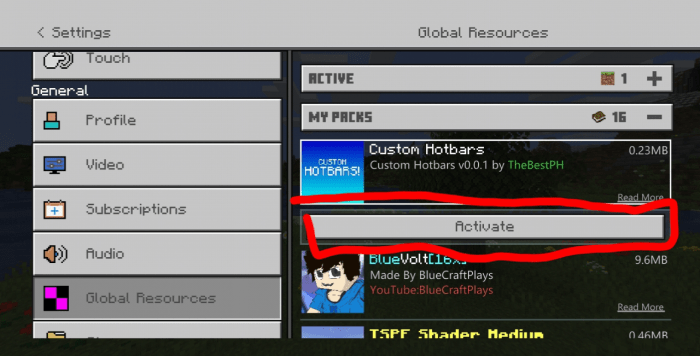
1. After downloading the pack, launch minecraft ans go to settings > global resources.

2. Press "Custom Hotbar" and then click activate
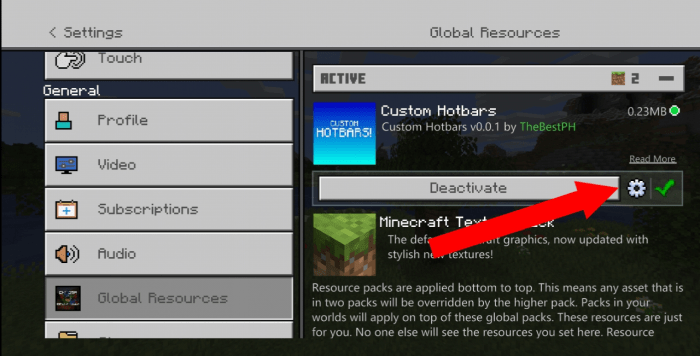
3. Click the settings icon to edit your hotbar
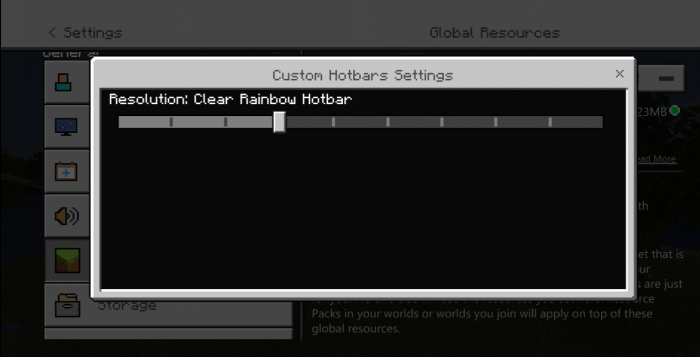
4. Choose your hotbar!
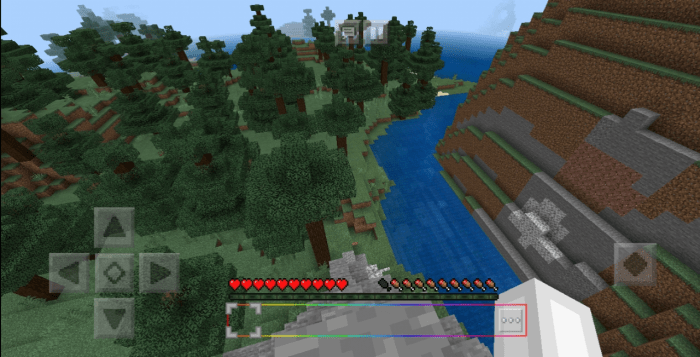
5. Test it! Enjoy!!!
Hotbars Available:

So here are some pictures of the hotbars available

-Clear/Invisible Hotbar
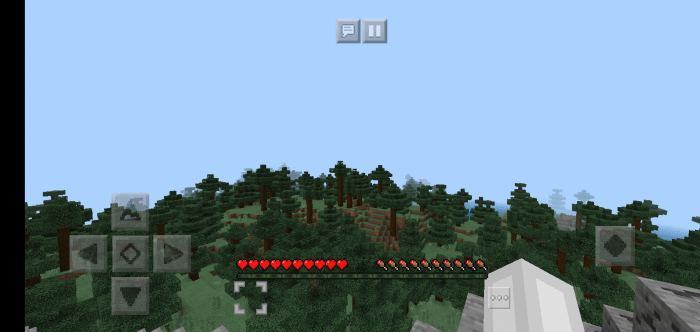

-Partially Clear Hotbar
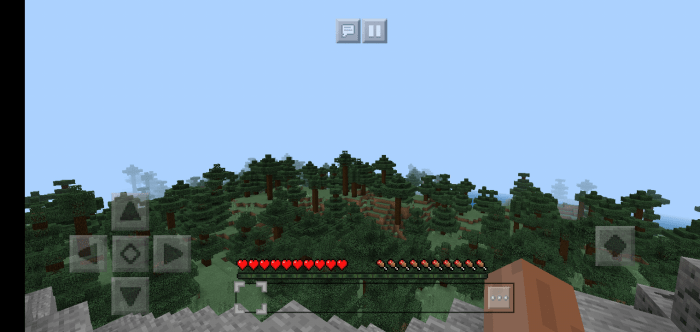

-Rainbow Hotbar
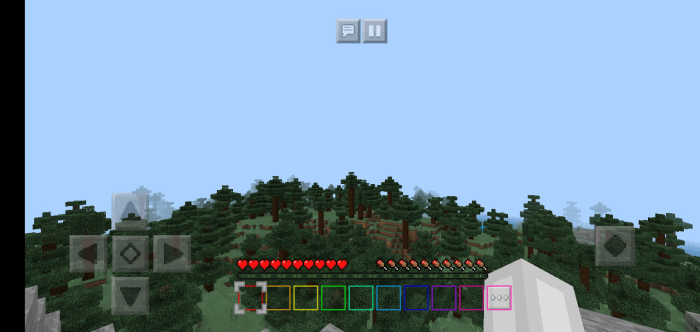

-Clear Rainbow Hotbar
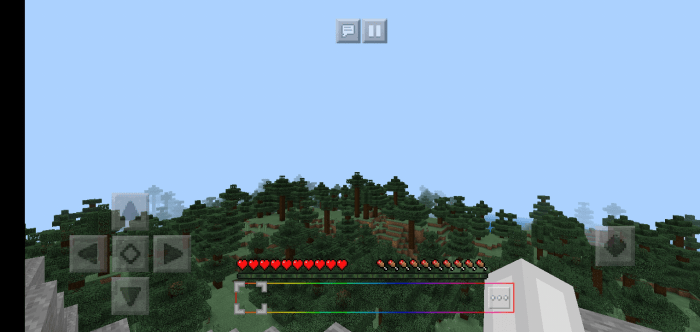

-Wooden Hotbar
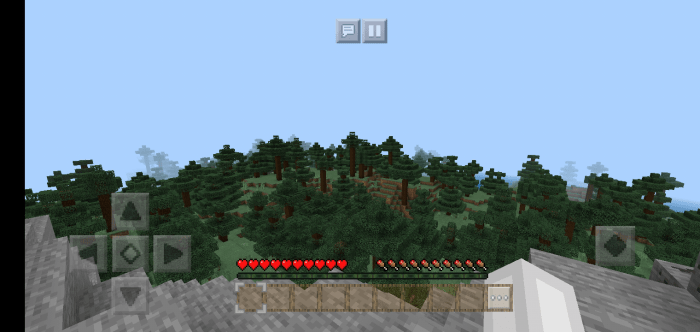

-Fancy Hotbar
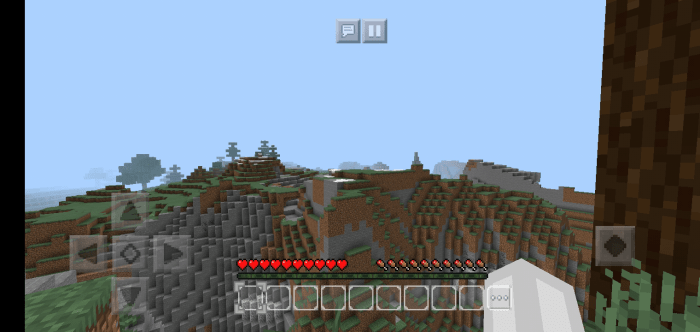

-Creeper Hotbar
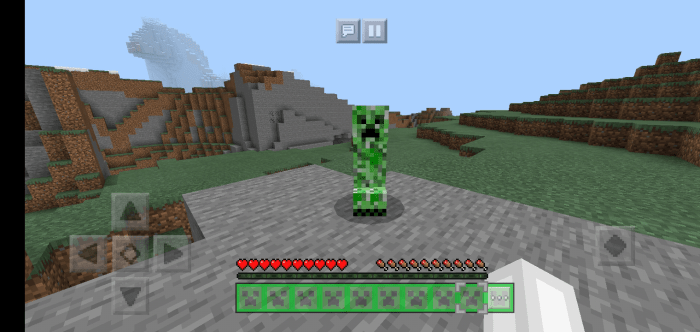

-Diamond Hotbar
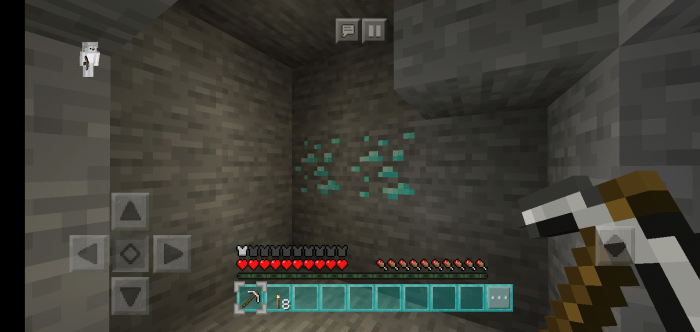

-Dirt Hotbar
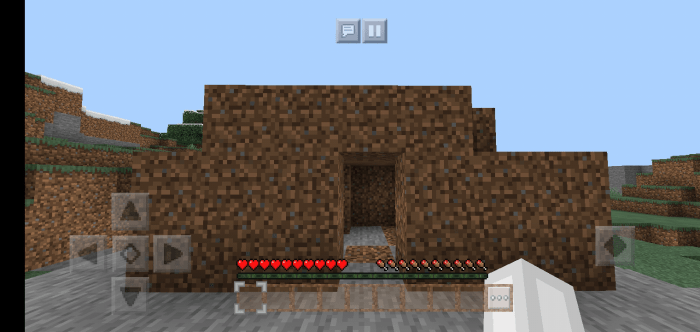

-Stone Hotbar
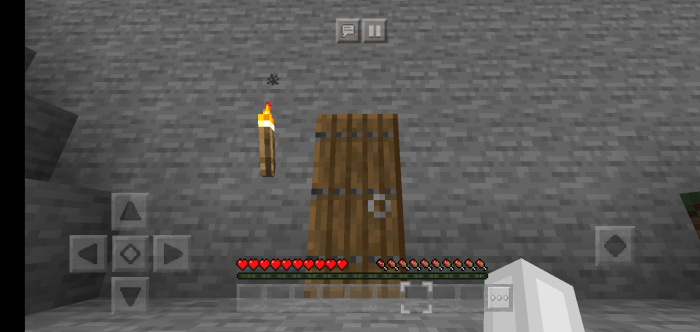

-Emerald Hotbar
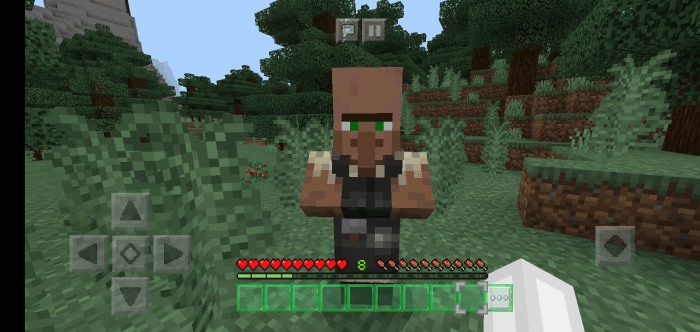

-Gold Hotbar
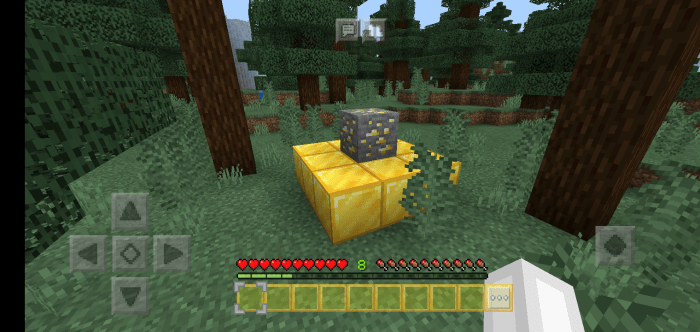

-Lava Hotbar
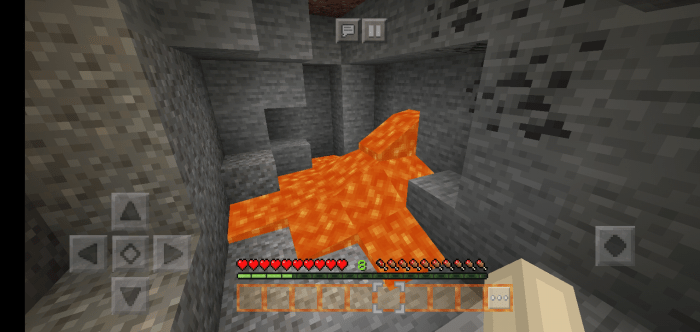

-Water Hotbar
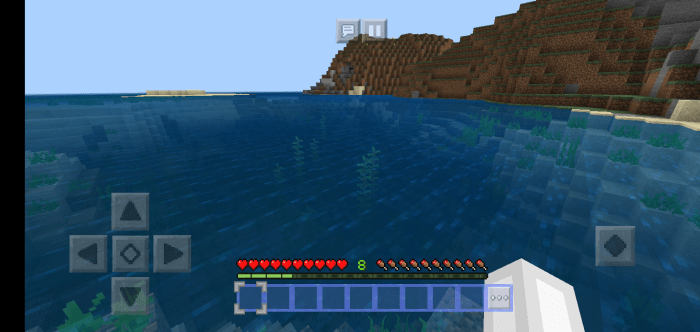

-Obsidian Hotbar
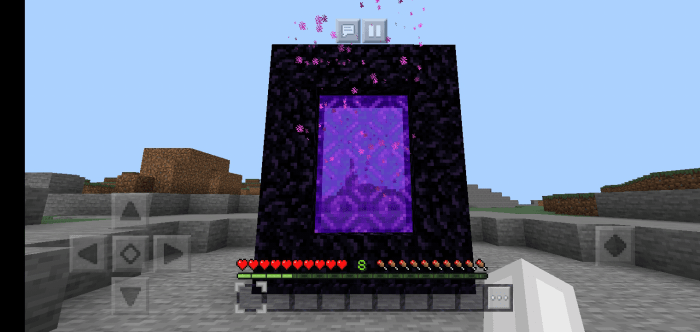

More hotbars:


-Sandstone Hotbar

-Bedrock Hotbar

-Brick Hotbar

-Endstone Hotbar

-Portal Hotbar

-Glowing Obsidian Hotbar

-Grass Hotbar

-TNT Hotbar


ANIMATED HOTBARS:

Yes. Animated hotbars! Here are some GIF of the following hotbars:


-Animated Rainbow Hotbar:
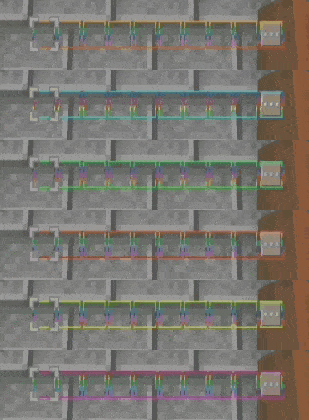

-Animated Portal Hotbar:
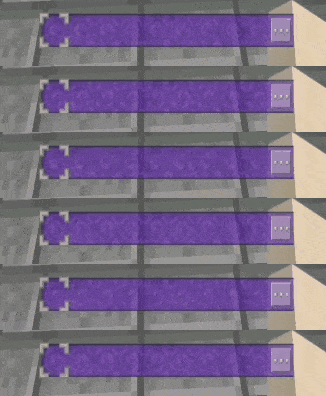

Note: These animated hotbars look better in-game. The GIF is just really bad.

Video Showcase:


Credits

This texture pack was made by TheBestPH himself.

Also thanks to Kryston for helping me with the animated hotbar codes

Permissions

  • You are allowed to make a video showcase about this texture pack but please credit me.
  • You are allowed to edit the texture pack for personal uses only
  • You are not allowed to repost this on other websites without credits
  • You are not allowed to steal this texture pack

PLEASE NOTE:

When you are making a video showcase about this texture pack, please put the link of the MCPEDL post of this texture pack on the description. Please do not use a direct download link. Also please add the link of my youtube channel "youtube.com/thebestph"


LICENSE:

This resource pack is copyrighted with MIT License. Please learn about this license so you'll know the legal permissions of my pack.

Social Media:

YouTube

Twitter

Discord Server


-Make sure to subscribe so you will be notified in updates or new submissions!
-Make sure to share this to your friends so they will know about this cool texture pack!


also when 30k shares, I'll upload bundles of hotbar from many many different textures packs.

Select version for changelog:

Changelog

no update rly... just removed the direct download link myself cuz i thought a mod would remove it after verification......

Supported Minecraft versions

Resolutions

Installation Guides

55 Responses

Comments 55
4.73 / 5 (26 votes)
1
The Links aren't working... might I suggest MediaFire?
Log in to Reply
1
AAAAAAAAAAAAAAAAAAAAAAAAAAAAAAAAAAAAAAAAAAAAAAAAAAAAAAAAAAAAAAAAAAAAAAAAAAAAAAAAAAAAAAAAAAAAAAAAAAAAAAAAAAAAAAAAAAAAAAAAAAAAAAAAAAAAAAAAAAAAAAAAAAAAAAAAAAAAAAAAAAAAAAAAAAAAAAAAAAAAAAAAAAAAAAAAAAAAAAAAAAAAAAAAAAAAAAAAAAAAAAAAAAAAAAAAAAAAAAAAAAAAAAAAAAAAAAAAAAAAAAAAAAAAAAAAAAAAAAAAAAAAAAAAAAAAAAAAAAAAAAAAAAAAAAAAAAAAAAAAAAAAAAAAAAAAAAAAAAAAAAAAAAAAAAAAAAAAAAAAAAAAAAAAAAAAAAAAAAAAAAAAAAAAAAAAAAAAAAAAAAAAAAAAAAAAAAAAAAAAAAAAAAAAAAAAAAAAAAAAAAAAAAAAAAAAAAAAAAAAaaA
Log in to Reply
1
Doesn't work on Xbox. (I know how to add texture packs to Xbox)
Log in to Reply
1
You can make an invisible Hotbar, to keep only the items.
Log in to Reply
1
You can make an invisible Hotbar, to keep only the items
Log in to Reply
1
I freaking love this i was so surprised when it worked Its a really coo pack!
Log in to Reply
1
Thx so much! This will go perfect with my custom hearts add-on!
Log in to Reply
1
"My Hotbars UwU" 。◕‿◕。
Could you add a clear/invisible inventory without selection thing or with more slim selection thing? Also what a good texture pack
Log in to Reply
1
You mean a clear hotbar with a clear hotbar selection?
Log in to Reply
thanks soooo much for the direct download without the website!!!
Log in to Reply
Guest-5119012807 May 29, 2020 at 9:02 pm
Nice pack :")
Log in to Reply
1
This is so cool..?
Log in to Reply
Hope to create a dynHope to create a dynamic rainbow with a clear versionamic rainbow with a clear version
Log in to Reply
Guest-7913341022 May 16, 2020 at 6:50 am
It works for me on bedrock(v1.14.60). It DOSEN'T WORK FOR ME ON BETA(well this can't be the reason why I give you a 5stars).It's amazing!!!
Log in to Reply
Guest-3700426934 May 16, 2020 at 6:50 am
well I forget the STARS :P
Log in to Reply
Guest-8787485215 May 15, 2020 at 4:40 pm
it is so good easy to install
Log in to Reply
Guest-2445652974 May 15, 2020 at 1:25 pm
How can I make the clear rainbow hot bar animated? Because I would love it to be animated, it would be so cool
Log in to Reply
tbh this one of the best and most practical texture packs that are not overkill
kudos to u!!!
Log in to Reply
1
This texture pack is awesome!! But I have one question, what type of note editor do you use? I haven't found a good one yet
Log in to Reply
Guest-3042428517 May 11, 2020 at 8:29 am
Can you make a numbered hotbar
Log in to Reply
really cool! love the creeper one :)
Log in to Reply
1
Thanks for the pack. And omg you have my favourite youtuber's pack! I have it too! It's blue volt!
Log in to Reply
Latest update there is no settings button, what to do
Log in to Reply
1
You need to activate the pack first, then go to the Active section and it should be in between the deactivate button and the down arrow button.
Log in to Reply
Can you make the rainbow hotbar like really glow rainbow for example, the RGB xp bar
Log in to Reply
Das Cool Make More Soon, Also Can You Make Custom Inventory My Mean Its Just In Hotbar And Not In Inventory
Log in to Reply
is it posible to add another slot/ line of slots? or something similar to what java mc has (can switch to multiple saved set slots)?
Log in to Reply
1
I'm sorry. It's not possible for a texture pack.
Log in to Reply
OhMyGod, thank you so much for making this pack and please keep updates it, please!!
Log in to Reply
Sure! ;) (This is the creator)
Log in to Reply
Bruh you arent the creator stop lying
Log in to Reply
1
bruh he is, this stupid bug on mcpedl is to blame not him
Log in to Reply
This is a simple idea can you make a rainbow one with numbers on them for example the first slot with have the number 1 on it
Log in to Reply
does this work for mcpe 1.16?
Log in to Reply
1
Not sure :/ But I think it will work since there is nothing changed about the hotbar ui in 1.16...Maybe give it a try?
Log in to Reply
1
Works great on windows10 but I wasn't able to get it to work with Pe, since there's only a texture folder and a sub folder it doesn't register at all when I extract it...
Log in to Reply
since the xp bar can be animated, can u animate the hotbar?
Log in to Reply
1
Actually bro animated textures only works on blocks and items so it can't be animated. If I'm wrong, can you give me the link of the animated xp bar texture pack?
Log in to Reply
1
Oh you mean RGB xp bar? I see. Idk if it works on hotbar. Its just idk how to make an animated hotbar lol. Sry
Log in to Reply
does this work with the 32 x 32 hearts and hunger from the multi pixel pack or does your hotbar replace them?
Log in to Reply
1
It doesn't replace anything other than the hotbar.
Log in to Reply
1
If its possibile to animate the hotbar could you do a rainbow one? It should change the color from top to bottom
Log in to Reply
1
wait I think it's possible. I'll try your idea!
Log in to Reply
Nvm bro.. It won't work. Animated textures only works on blocks and items. Sry. Btw this is the creator
Log in to Reply