MCPE DL

Mods, Maps, Skins, Seeds, Texture Packs

Published on January 30, 2020 (Updated on June 30, 2020)

Worldmaker736's Texture Tweaks (Discontinued)

Have you ever wanted to tweak the textures in Minecraft? Well why not! some of the textures in Minecraft are bland or just the same. For example tools. Why can't we have better looking diamond tools or better looking gold tools? Its all the same. your wooden pickaxe is pretty much the same texture as your diamond one! In this pack all of the tools are changed! (except the iron ones) also in this pack

Pictures

Mobs:


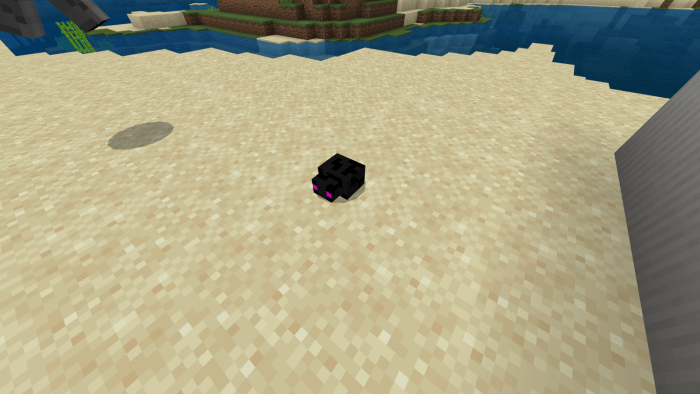
endermite:

retextured to look more like an enderman.
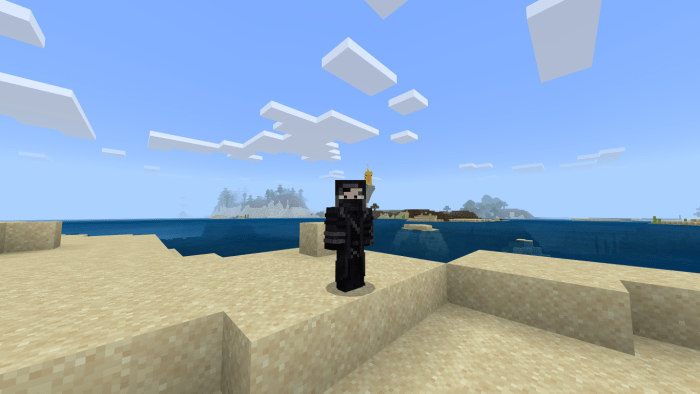
retextured the Cocketiel to look more realistic.
Wood tools.
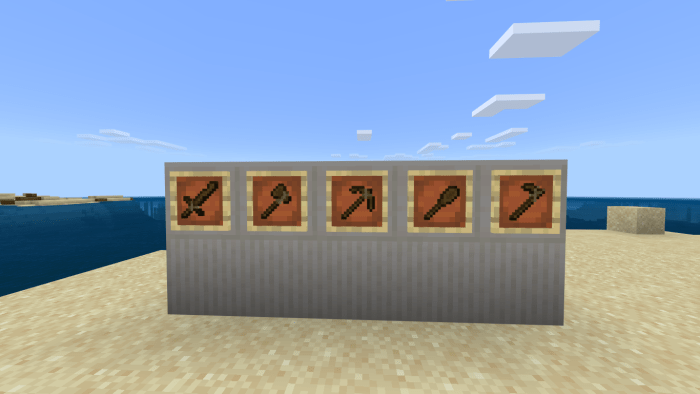
Stone tools.
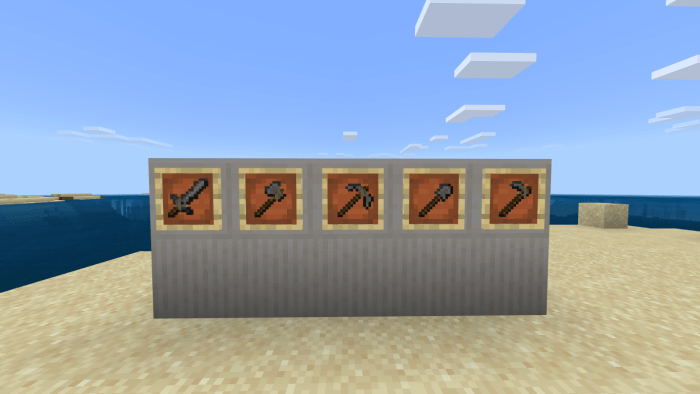
Golden tools.
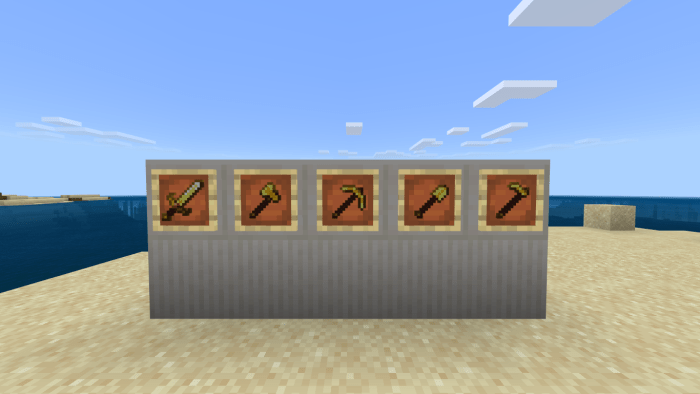
Diamond tools.
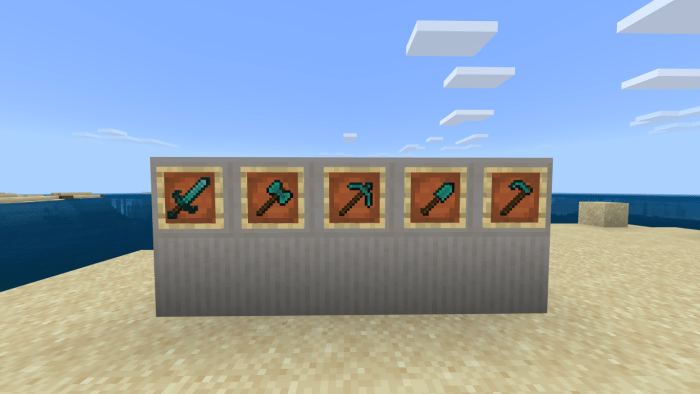
Other Changes.

  • Changed the crafting table texture. (removed tools form the texture)
  • Changed the sun texture.
  • Changed the elytra texture.
  • Changed the golden helmet texture. (looks more like a crown)
  • Changed the blaze powder texture.
  • Changed the shield slot texture. 
  • Changed all armor slot textures.
  • Changed the snow golems face. (The one under the pumpkin)
  • Changed the Phantom texture.
  • Changed the slime ball texture.
  • Changed all normal arrow textures.
  • Changed squid texture.
  • Changed the wither skeleton texture.
  • Changed the cow texture.
  • Changed untamed wolf texture.
  • Changed the texture.
  • Changed the drowned texture.
  • Changed armor stand texture.
  • Changed the milk bucket texture.
  • Change elytra item textures.

Notes:

Will update in the future.

Will take in suggestions.

Treated you guys with a mediafire link I know how much of a pain adfly and other websites are.

Select version for changelog:

Changelog

Discontinued, Will be working on a new texture pack soon!

Installation


Supported Minecraft versions

Installation Guides

36 Responses

Comments 36
4.33 / 5 (12 votes)
1
Hello. I really like the textures of this pack and would love to use them, but I currently can't get them to work. It keeps giving me an error whenever I try to put the .mcpack into my Minecraft.

Any way to fix it? Maybe the link isn't updated? Currently can't figure out the solution to installing it without it giving me the error screen in the game.
Log in to Reply
1
ok it seems like the link isn't working i'll try to fix it very soon.
Log in to Reply
Doesn't work xd xd xd
Log in to Reply
Wait... It worked, but it said "failed too download, not a valid zip archive"
Log in to Reply
ok i'll fix the link
Log in to Reply
I download the link and it says "can't open file, please help
Log in to Reply
this is definetley copied, i have seen the same textures before, he only changed a few to prevent suspicion, i think the original is "jelly's tool tweaks"
Log in to Reply
1
im not sure which textures i "copied" could you tell me which one i copied?
Log in to Reply
1
Butterfly Seraphim March 20, 2020 at 8:51 pm
Pls make the Pack compatible with 1.15 and 1.16
Also fix the zip file i won't work.
Log in to Reply
It doesn't work for me to download
Log in to Reply
1
How do you create texture packs? And how do you create the link for them?
Log in to Reply
1
go to Minecraft.net/addons/ you can download a sample pack from there
Log in to Reply
How did you create the texture?
Log in to Reply
too much unnecessary files in this pack
Log in to Reply
I know. but I find it easier to modify textures if I have all the files I'm planning on removing the non texture files in the next update.
Log in to Reply
How do i use this on bedrock
It looks like a 5 stars pack though
Log in to Reply
1
what do you mean? do you mean the .zip files? I know they can be kinda confusing. https://mcpedl.com/how-to-install-addons-for-windows-10/ this might help
Log in to Reply
This looks like a cool thing to put in the bottom of my 42 resource packs
Log in to Reply
Make chickens look like hens, Make all cows type look like Hostein Cows Make, Make pigs look better, Make Sheeps Skin Is black in colour, Make wolve look like grey wolve, make foxes's eyes look better, Make Zombies look like walkers, Make husks look like mummies and make drowneds look like undead pirates
Log in to Reply
1
These are all excellent ideas! What doo you mean by "make the pig look better" do you want mud or something?
Log in to Reply
Make any type of skeletons more realistic​ and
Make enderman attack animation is looks like
It jumpscaring you
Log in to Reply
1
I don't know how to change any animations but how would I make skeletons more realistic? :)
Log in to Reply