MCPE DL

Mods, Maps, Skins, Seeds, Texture Packs

Published on November 29, 2020 (Updated on January 14, 2021)

SL Shader v2.0

SL Shader

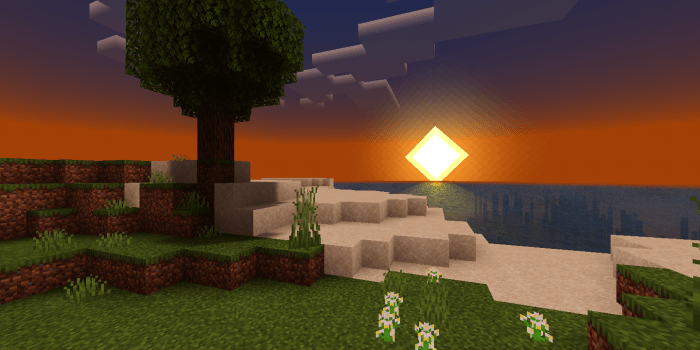
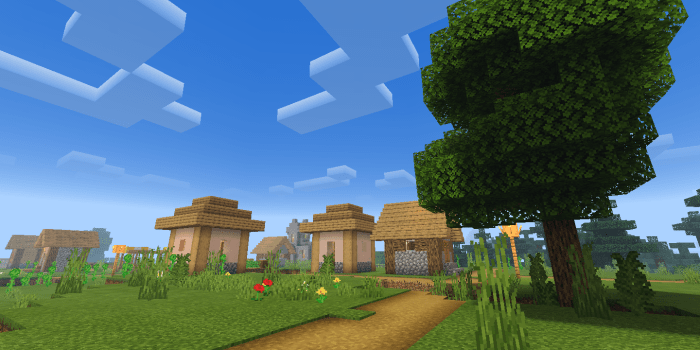
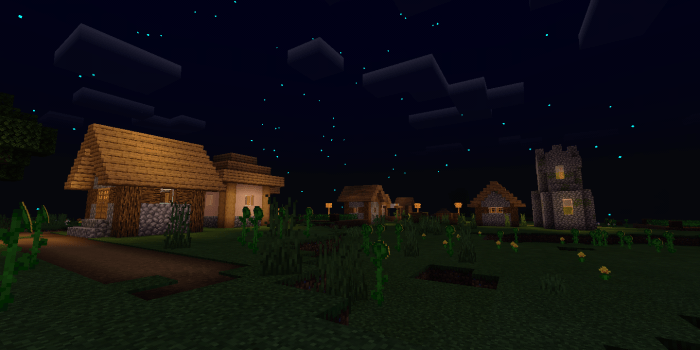
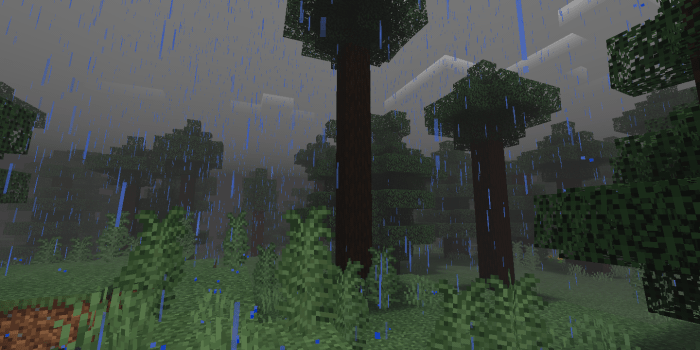
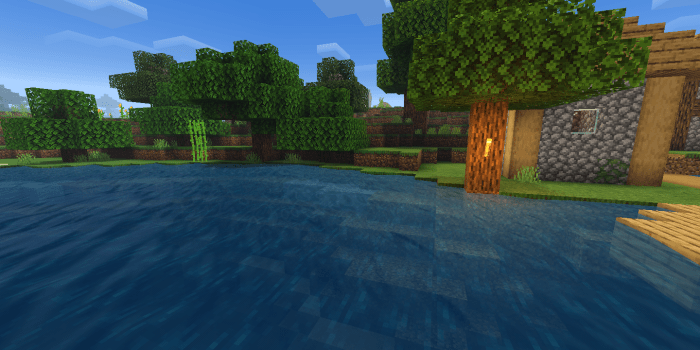
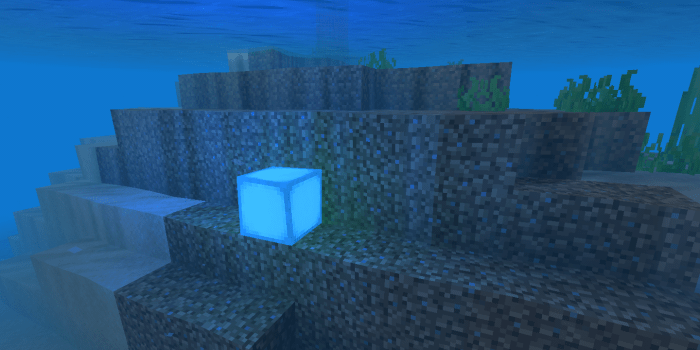
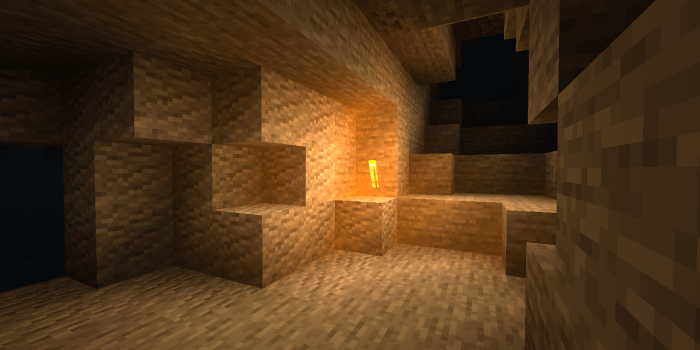
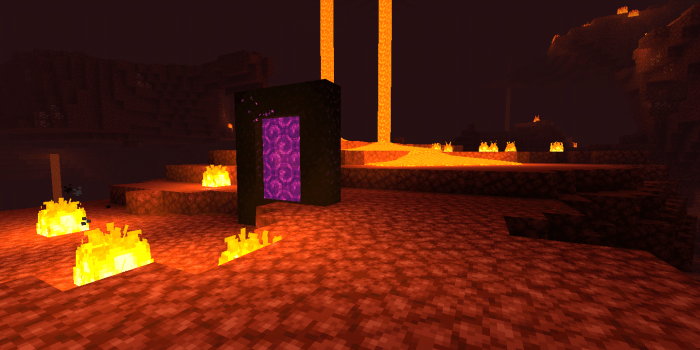
SL Shader is a shader pack to improve vanilla graphic, which will make your minecraft more beautiful.

SL stand for "Sapu Lidi" (Eng. Broom Stick), I chose this name because I often clean the bed using a broom stick, I don't know why I like this name for my shader.


Features:

  • World coloring
  • Lighting coloring
  • Beautiful sky
  • Shadow (under block)
  • Realistic water (keep default texture)
  • Water wave
  • Underwater caustic & wave
  • Waving leaves & plants
  • Sun reflection on water (sun rise/set)
  • Fog
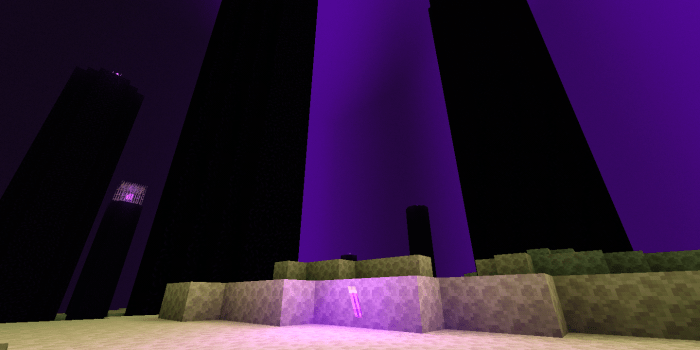
  • End sky effect
  • Settings
  • Etc

Screenshot:


In v2.0 (now) i added settings feature, so you can activate / deactivate some features. I think this feature can reduce lag :D

Video

-Trailer:


-How to modify settings:


Tested on:

  • Redmi Note 9 Pro
  • Redmi 6
  • Redmi 7A
  • Vivo y91c

Note:

  • This shader doesn't work on MC Win10
  • This shader also doesn't work on MC Renderdragon
  • i don't know if this shader works on iOS
  • This shader was made by me, but there is some code from Shader Tutorial and Shadertoy
  • Read Credits.txt (optional)

Subscribe to My YouTube Channel - Electrod

Select version for changelog:

Changelog
  • Change some description
  • I posted the wrong video on how to change the settings, so I've added the correct one now

Installation

SET GAME BRIGHTNESS TO BETWEEN 75 - 80 FOR BETTER EXPERIENCE !!! 

Supported Minecraft versions

Resolutions

Installation Guides

56 Responses

Comments 56
4.76 / 5 (21 votes)
1
Wow I can't wait for the next update 😉🙂
Log in to Reply
1
Very nice one, the option to turn settings on or off is also great :D
sometimes I would like to turn some settings a bit down, like the grass which moves so much.
The water looks stunning, bit too wavy for me but that's okay ;D
Log in to Reply
1
Wow, Nice update! Btw, the settings feature is very helpful, I can disable the feature that makes my phone lag. keep up your good work 👍
Log in to Reply
1
MAKE IT FOR WINDOWS 10 OR I WILL REPORT FOR SCAM!!!😡😡🤬🤬😡😡
Log in to Reply
1
Don't cringe.
This shader doesn't work with Windows 10
Log in to Reply
1
Bruh ... MC win 10 now doesn't support all Shaders after updating version 1.16.200 because it has rendered dragon
Log in to Reply
1
Its Sarcastic Lmao.I Dont Blame You Tho.Comments Like This Are Common Here.
Log in to Reply
1
Sapu lidi dong :v, sayang sih gabisa buat WIndows, tapi gpp dah, nyari namanye pinter juga :v
Log in to Reply
1
India but with 4 extra letters heheheheh
Log in to Reply
1
Works perfectly! This is the best that looks like vanilla, the clouds, the sun its perfect! I changed the moon tho, I don't like it being a circle.
Log in to Reply
1
Hey! I got a bug! On snowy biomes the grass transforms into water! The watee texture but it has the waves and etc I hope you fix it!
Log in to Reply
1
Thanks for telling me, I will fix it in the next update :D
Log in to Reply
1
Added you in my texture pack! Hope the downloads fro my pack which is like 100 come to yours!
Log in to Reply
1
Is this a lightweight shader or is it supposed to be used i high-end devices Because i have a pretty low-end device
Log in to Reply
1
low-end devices can run this shader :D
Log in to Reply
1
Works in Vivo y11
Log in to Reply
1
I love this Shader, the only thing I don't like is the light sources like torches, the way they illuminate makes me uncomfortable but great job!
Log in to Reply
1
Warning: This Shader Dosent Work Render Dragon

Me: it crashed lol ):
Log in to Reply
1
right now there arent any shaders that work with render dragon unfortunately, the only shader creator that is making one is yusfishy
Log in to Reply
1
omg really, i want to look forward it, can you give me the link please?
Log in to Reply
1
1
The lightning...the light sources(torches glowstone etc)...It gives me a nostalgic feel, it feels like i am playing with the very first shaders for mcpe, those simple shaders that died years ago. Thank you so much !

Just asking, is there a way to remove the shader water ? I'm trying to get a little bit more fps.
Log in to Reply
1
Quick edit : maybe lower the light sources intensiti, brightness or whatever you call it. Its too strong, but looks good in caves. Reason for asking you to do that is because if you're in a desert or on a beach your eyes will get burned if you place a torch on the surface.
Log in to Reply
1
I really like this shader but could you possibly make the sun reflection lighting whiter and make it it faint so it doesn't just look like a streak of orange
Log in to Reply
1
Working On My Phone, I Really Like Sun Reflection And Water Animation Isn't Laggy Than Other Shader But If I Dive Underwater My Fps Drop And Down So My Game Got Laggy, But Dont Worry This Shader Keep Good For Me
Log in to Reply
1
Thanks for the feedback, i will try to fix the lag when diving underwater. ?
Log in to Reply
1
You just copying kk3310's video about making shaders its the same with his videos
Log in to Reply
1
tutorial from KK3310 is open source, so what's the problem?
Log in to Reply
1
Wait, you were the same person who made the riches texture pack. Because It has been years and I love that texture pack
Log in to Reply