
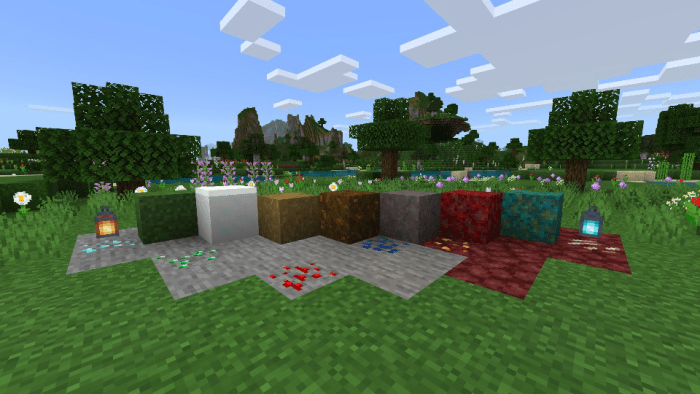
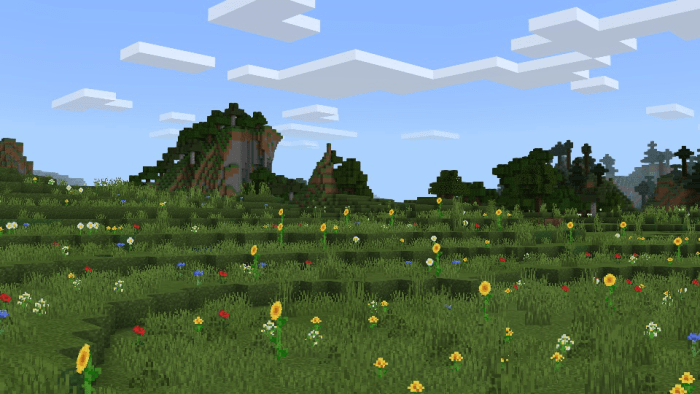
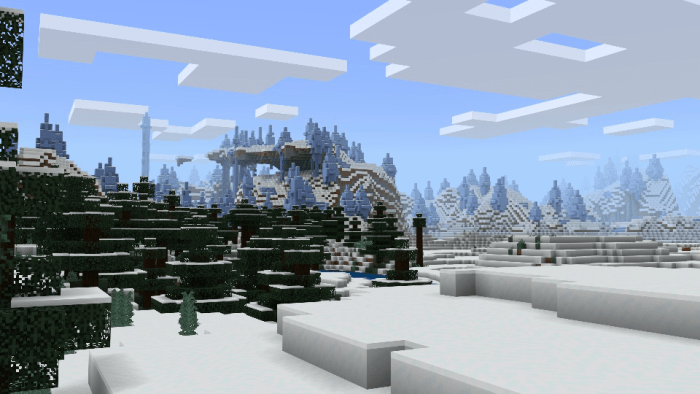
Simple Sides is a resource pack that streamlines the side textures of Grass, Snowy Grass, Grass Path, Podzol, Mycelium, Crimson Nylium, and Warped Nylium!
- Support for Bedrock Edition
- Support for Java Edition
- Designed to work in conjunction with all resource packs
You can share this resource pack, but please refer others to this MCPEDL post, or the official Simple Sides GitHub Repository only.
Feel free to include Simple Sides in your own resource pack! My only requests are for a mention of my username, "Offroaders123", and a link back to either this MCPEDL post, my MCPEDL profile, the official Simple Sides GitHub Repository, or my GitHub profile. Thanks!
Found a bug? Have a feature suggestion? Feel free to contact me by email, or submit a pull request to the official Simple Sides GitHub Repository!




Select version for changelog:
Changelog
Changes:
- Updated pack manifests for Bedrock and Java to the latest format versions.
- Updated pack manifest author section to show my GitHub profile instead of my Google Site, The Melon Slice, which I will be taking down in the nearby future.


124 Responses
is a fix possible for a future update?
Link to his Java to Bedrock Resource Pack Converter Web App:
https://ozelot379.github.io/ConvertJavaTextureToBedrock/
It is done all online through his website using just web technologies!
Expect new releases coming soon... ?
this can be auto binded in pc keyboards i think
I will upload it if I can get permission from the creator of this addon.
My website is back up to view. It is at a new URL, and you can find the link to it on my MCPEDL profile page. ??
2018-2019
I’ll look into that next week :D
If this doesn’t fix it, I will try to fix it when v1.9 comes out officially, because it could be an issue specific to v1.9, and I currently don’t have the beta installed.
Sorry for the troubles!
2018 it should be updated in the next month or year which is December 2018 or 2019
I thank you for your work ?☺
I also thank you for your work ??
1. Download the .zip version of Simple Sides
2. Extract all of the contents
3. Open the new folder, and delete the “blocks.json” file (this is where the custom double stone slab information is located)
4. Select the remaining contents of the folder
5. Right click, and select “Send to compressed (zipped) folder”
6. Choose a name of your choice + retype the file extension .zip to .mcpack
Now you can open it with Minecraft and apply it in Global Resources!
This will be the same process when a new update of this pack is released.
Hopefully this works for you! :)