
MCPE DL

Mods, Maps, Skins, Seeds, Texture Packs

Rahee's Digital Clock Texture

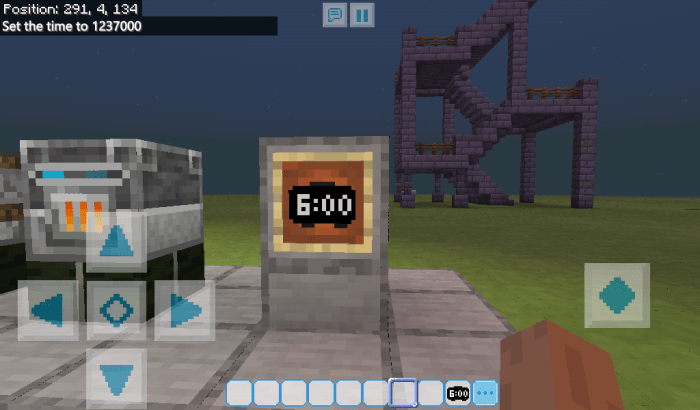
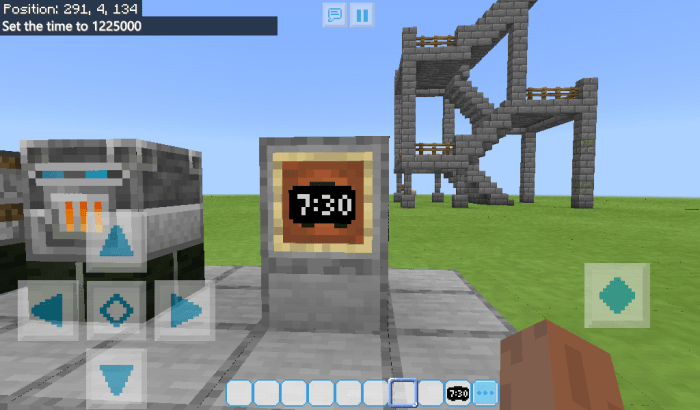
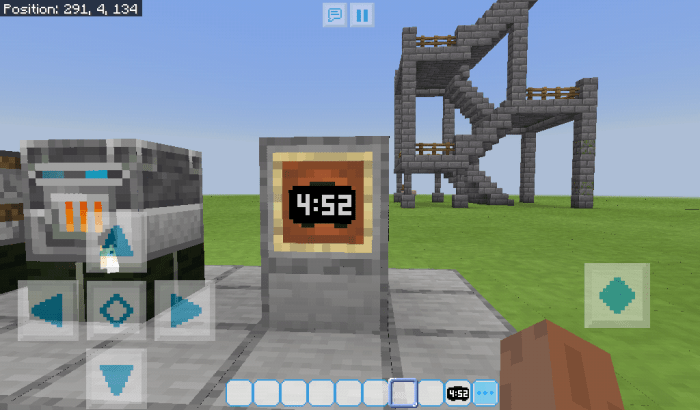
This pack will replace the default clock texture with a digital clock. Currently I made a black clock with 12 hour time format. I'll make 24 hour format version soon.

I'll add other colors soon. 

Please note that this is not a add-on. This will just replace Default clock texture.

Made in Bangladesh

Visit our Facebook Page

Visit my YouTube channel

6:00 AM

7:30 AM

4:52 PM

There are 64 clocks in watch_atlas.png 

Time difference between Each clock is 22 minutes 30 Seconds (375 Ticks/18.75 real time seconds)


If it doesn't work or if you have any complaint/suggestion/feedback please mail me at   [email protected]

Installation

If you Download MCPACK File: Just open it. It will launch Minecraft and import the pack. Then activate it in Global Resources.

If you Download ZIP file:

Extract the ZIP package in a separate folder in

Internal Storage/games/com.mojang/resource_packs

Then launch Minecraft and activate it in Global Resources.

Supported Minecraft versions

Resolutions

Installation Guides

24 Responses

Comments 24
4.91 / 5 (11 votes)
Add am or pm or 24 hour format
Log in to Reply
Can you please make a Mediafire link?
Log in to Reply
rahee can you make a Hud like health
exp
armor
and
puppets doll corner
Log in to Reply
could you ad a media fire link?
Log in to Reply
very useful, but maybe u can add a date starting at 1/1 and ending at 12/31, but i bet its not possible because it will need a behavior pack to do that
Log in to Reply
Great work. I would be better if you add am/pm or 24H time format. Nice work❤
Log in to Reply
a person who uses 24H in his country January 23, 2020 at 6:41 am
İf you download it, it says: 12H format. Where is the 24H format 'cause 24H is much better
Log in to Reply
1
Thanks for commenting. I am working on a 24 hour format version. Please be patient. ?
Log in to Reply
I really like this, but I think it would look better if it was just a rectangle instead of trying to mimic a clock shape. I’d love to see a 24-hour version where the background stayed a black rectangle, but the numbers changed color to indicate day/night (maybe yellow for day and white for night). Either that, or maybe a border around the edge that changed colors.
Log in to Reply
1
Thanks for your valueable suggestion Next time I will make a Rectangular version. Should I add rounded corners in it? Or pure rectangle?
Log in to Reply
can you make it 3d while being put in an item frame?
Log in to Reply
1
Sorry, but it's technically not possible. I can try to make a add on but it will replace some mobs.
Log in to Reply
Thanks for creating this thing!
Now i can finally use my crafted clock?
Really u did a geat job?
Log in to Reply
অনেক সুন্দর।
Very nice creation.
Log in to Reply
A very awesome thing u made?
Log in to Reply