

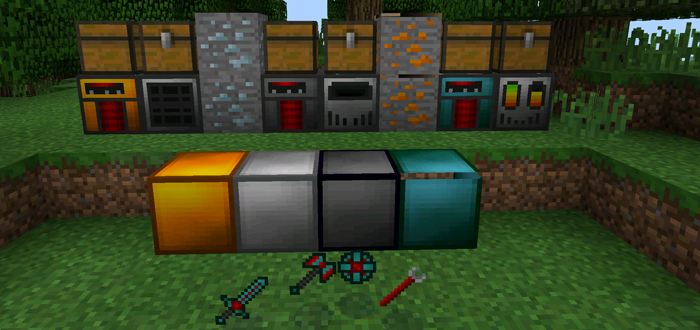
NerdCraft 2 is a tech mod which adds power generators, machines, energy tools and new ores to the world of Minecraft. Two of the machines are used for obtaining dusts and ingots which are required to craft the new energy tools. And the third machine can be used for charging the tools. Even though it's a quite complex idea it's incredibly easy to get started.
Creator: Kingbudderjr, Twitter Account
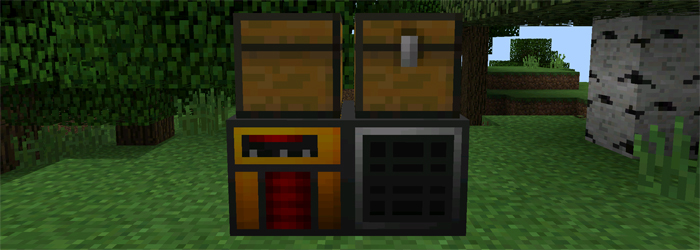 In this case we chose to use a Coal Generator. It's the least effecient power generator but it serves well in this example. Fill the chest on top of the generator with the type of fuel it requires (read more about generators further up). In this case it requires coal or charcoal.
The coal will start to burn right away.
In this case we chose to use a Coal Generator. It's the least effecient power generator but it serves well in this example. Fill the chest on top of the generator with the type of fuel it requires (read more about generators further up). In this case it requires coal or charcoal.
The coal will start to burn right away.
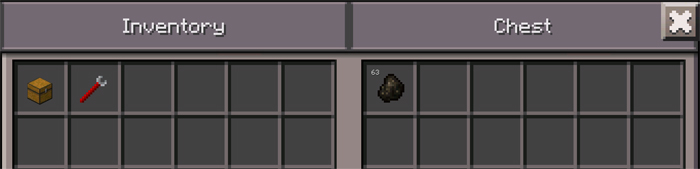 Open the chest which was placed on top of the Grinder machine and fill it up with some ores to start obtaining dusts. In this example we chose to use Copper Ore, but any type of ore work fine. (If the images of the Copper Dusts aren't seen right away simply close and open the chest.)
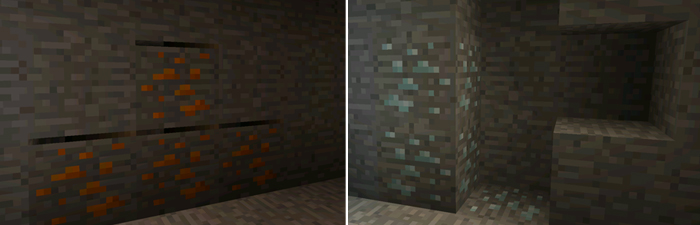
Copper Ore and Tin Ore are generated randomly underground somewhere at layer 30.
Open the chest which was placed on top of the Grinder machine and fill it up with some ores to start obtaining dusts. In this example we chose to use Copper Ore, but any type of ore work fine. (If the images of the Copper Dusts aren't seen right away simply close and open the chest.)
Copper Ore and Tin Ore are generated randomly underground somewhere at layer 30.
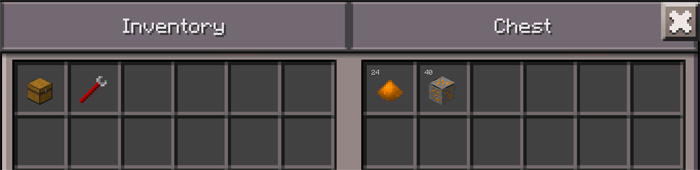 Alright, so that's how you can use the Grinder machine to obtain all the different types of dusts.
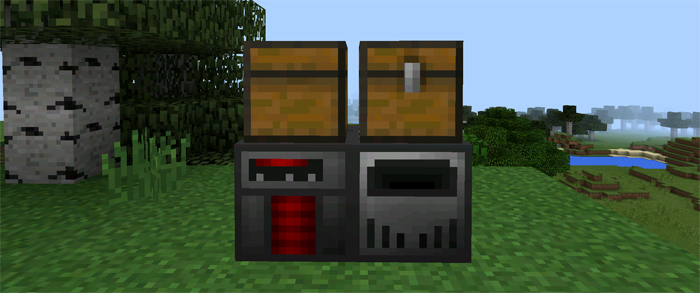 If necessary, use the wrench to rotate the Energy Smelter. Tap on the Energy Smelter to activate the machine.
Open the chest of the generator enter fill it up with fuel. In this case it's a Pyro Generator and they are fueled by blaze rods.
If necessary, use the wrench to rotate the Energy Smelter. Tap on the Energy Smelter to activate the machine.
Open the chest of the generator enter fill it up with fuel. In this case it's a Pyro Generator and they are fueled by blaze rods.
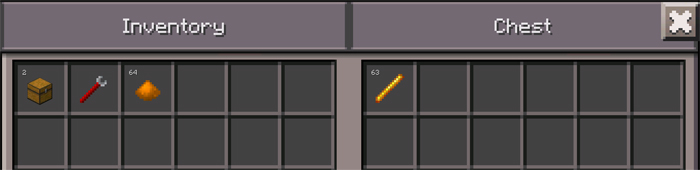 Open the chest of the Energy Smelter and fill it with the Copper Dusts which we previously obtained by using the Grinder (or you can fill it up with any other type of dust). The dusts will slowly turn into Copper Ingots. Grab them from the chest.
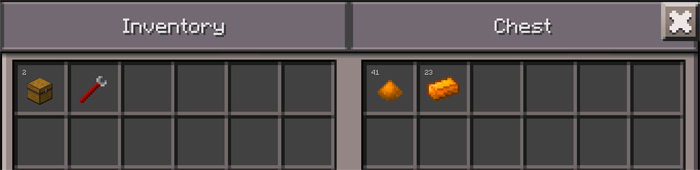
 Fill up the generator with its required power source, in our case we use an Ender Reactor (same functionality as any other generator) and it needs ender pearls.
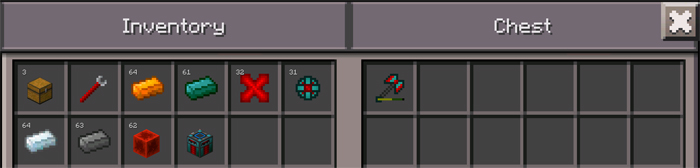
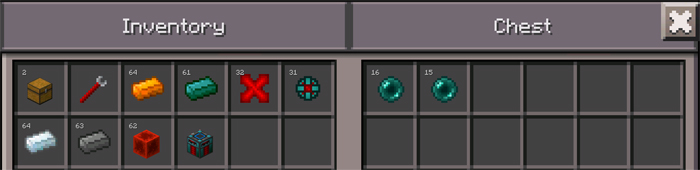 Place an Energy Tool in the chest of the Charging Station to charge the tool.
Machines
At the moment there are three different machines which can be crafted and then used to obtain dusts and ingots. One of the machines are used for charging some new tools which has been implemented with the mod. The tools are very powerful but their increased power are realistic based on how difficult they are to obtain.Generators
There are four different types of power generators and each of them are powered by different fuels. A generator is required to run any of the machines.- Coal Generator (powered by coal or charcoal) (192) - 3 copper ingots + 1 redstone energy binding + 1 furnace + 2 coal + 2 copper gear
- Pyro Generator (powered by blaze rods) (193) - 3 steel ingots + 1 redstone energy binding + 1 furnace + 2 blaze powder + 2 steel gear
- Tuberous Generator (powered by potatoes) (194) - 3 tin ingots + 1 redstone binding + 1 furnace + 2 potatoes + 2 tin gear
- Ender Reactor (powered by ender pearls) (195) - 3 enderium ingots + 1 redstone energy binding + 1 furnace + 2 ender pearls + 2 enderium gear
Grinder
The grinder is used to extract different types of dusts from ores. The dusts are needed to get ingots.- Grinder (179) - 3 tin ingots + 1 machine casing + 1 redstone energy binding + 2 flint + 2 copper ingots
In this case we chose to use a Coal Generator. It's the least effecient power generator but it serves well in this example. Fill the chest on top of the generator with the type of fuel it requires (read more about generators further up). In this case it requires coal or charcoal.
The coal will start to burn right away.
Open the chest which was placed on top of the Grinder machine and fill it up with some ores to start obtaining dusts. In this example we chose to use Copper Ore, but any type of ore work fine. (If the images of the Copper Dusts aren't seen right away simply close and open the chest.)
Copper Ore and Tin Ore are generated randomly underground somewhere at layer 30.
Alright, so that's how you can use the Grinder machine to obtain all the different types of dusts.
Energy Smelter
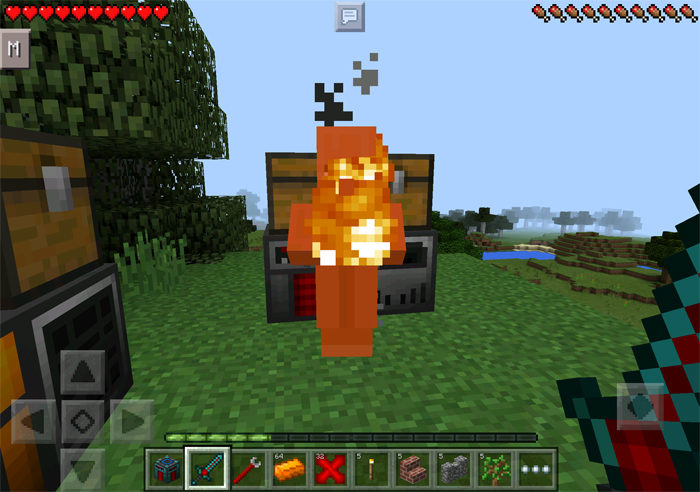
The Energy Smelter is used to smelt dusts to get different types of ingots. Begin by placing down an Energy Smelter and a generator next to each other. In this example I chose to use a Pyro Generator. Then on top of each block place a chest facing two different directions.
If necessary, use the wrench to rotate the Energy Smelter. Tap on the Energy Smelter to activate the machine.
Open the chest of the generator enter fill it up with fuel. In this case it's a Pyro Generator and they are fueled by blaze rods.
Open the chest of the Energy Smelter and fill it with the Copper Dusts which we previously obtained by using the Grinder (or you can fill it up with any other type of dust). The dusts will slowly turn into Copper Ingots. Grab them from the chest.
Charging Station
The charging station is used to charge all the Energy Tools which are implemented in the mod. You can read more about the tools further down. Setup the machine similarly to the previously machines. Simply place one Charging Station next to a generator. In this example we chose to use an Ender Reactor. And then on top of the machine and the generator place two chests facing opposite directions. Use a wrench to rotate the machine if necessary.
Fill up the generator with its required power source, in our case we use an Ender Reactor (same functionality as any other generator) and it needs ender pearls.
Place an Energy Tool in the chest of the Charging Station to charge the tool.
Energy Tools
These tools are much more powered than ordinary tools but they are much harder to obtain. But once you've obtained them you will notice many advantages such as the 1000 uses before needing to recharge.- Energized Power Blade (4002) - 4 enderium ingots + 1 energy core + 1 steel ingot + 1 redstone block
- Energized Matter Deconstructor (4003) - 3 enderium ingots + 1 energy core + 1 steel ingot + 2 redstone blocks
- Energy Core (4004) - 4 enderium ingots + 4 redstones + 1 redstone block
All Block/Item IDs & Crafting Recipes
- Machine Casing (178) - 4 tin ingots + 4 iron ingots
- Grinder (179) - 3 tin ingots + 1 machine casing + 1 redstone energy binding + 2 flint + 2 copper ingots
- Energy Smelter (180) - 4 tin ingots + 1 machine casing + 1 redstone energy binding + 1 furnace + 2 copper ingots
- Charging Station (181) - 2 tin ingots + 1 machine casing + 1 redstone energy binding + 3 redstone blocks + 2 copper ingots
- Coal Generator (powered by coal or charcoal) (192) - 3 copper ingots + 1 redstone energy binding + 1 furnace + 2 coal + 2 copper gear
- Pyro Generator (powered by blaze rods) (193) - 3 steel ingots + 1 redstone energy binding + 1 furnace + 2 blaze powder + 2 steel gear
- Tuberous Generator (powered by potatoes) (194) - 3 tin ingots + 1 redstone binding + 1 furnace + 2 potatoes + 2 tin gear
- Ender Reactor (powered by ender pearls) (195) - 3 enderium ingots + 1 redstone energy binding + 1 furnace + 2 ender pearls + 2 enderium gear
- Energy Duct (182) (not yet implemented)
- Copper Block (196) - 9 copper ingots
- Tin Block (197) - 9 tin ingots
- Steel Block (199) - 9 steel ingots
- Enderium Block (200) - 9 enderium ingots
- Tin Ore (176) - found underground (around layer 30)
- Copper Ore (177) - found underground (around layer 30)
- Ender Pearl Dust (3984) - obtained by placing ender pearls in the grinder machine
- Ender Pearl (3984) - kill Endermen to get
- Carbon Dust (3985) - obtained by placing coal in the grinder machine
- Steel Blend (3986) - 4 carbon dust + 1 iron dust
- Steel Ingot (3987) - put Steel Blend in a furnace to get OR 1 steel block in a crafting table gives 9 ingots
- Enderium Blend (3988) - 4 ender dust + 1 steel blend
- Enderium Ingot (3989) - put Enderium Blend in a furnace to get OR 1 enderium block in a crafting table gives 9 ingots
- Tin Ingot (3990) - put Tin Ore or Tin Dust in a furnace to get OR 1 tin block in a crafting table gives 9 ingots
- Copper Ingot (3991) - put Copper Ore or Copper Dust in a furnace to get OR 1 copper block in a crafting table gives 9 ingots
- Tin Dust (3992) - obtained by placing tin ore in the grinder machine
- Copper Dust (3993) - obtained by placing copper ore in the grinder machine
- Iron Dust (3994) - obtained by placing iron ore in the grinder machine
- Gold Dust (3995) - obtained by placing gold ore in the grinder machine
- Tin Gear (3996) - 4 tin ingots + 1 iron ingot
- Copper Gear (3997) - 4 copper ingots + 1 iron ingot
- Steel Gear (3998) - 4 steel ingots + 1 iron ingot
- Enderium Gear (3999) - 4 enderium ingots + 1 iron ingot
- Wrench (4000) - 2 tin ingots + 1 iron ingot
- Redstone Energy Binding (4001) - 4 redstones + 1 copper ingot
Install Guide
- Download the mod and textures .zip file.
- Use ES File Explorer (or any other file manager) to extract the .zip file.
- Install the textures (Nc2Resources.zip) using BlockLauncher.
- Import the ModPE script using BlockLauncher.
- Restart BlockLauncher and enjoy the mod!



29 Responses