

More concisely, more intelligible
This script can describe the command with a cooler syntax rather than a redundant syntax and convert it into a command.
The metacommand greatly shortens your time and creates many productions.
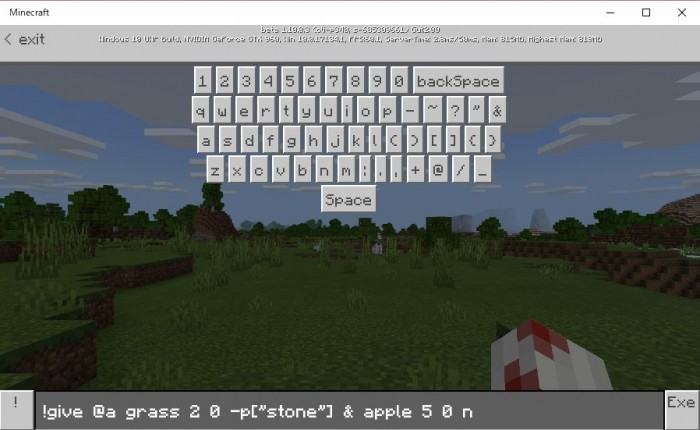
Currently, only the give command has been extended.
- !give [selector] [ItemID] ... When amount is omitted, amount is automatically taken as 1.
- -p["blockid"] ... This is a shorthand notation for the component. It will be converted to {"minecraft:can_place_on":{"blocks":["blockid"]}}
- -d["blockid"] ... This is a shorthand notation for the component. It will be converted to {"minecraft:can_destroy":{"blocks":["blockid"]}}
You can not omit the component. If you do not want to give it, be sure to enter any character other than -p [] - d []. (For example, if "! Give @ a apple 1 0 n", the component is ignored.)
!give [selector] [ItemID] [amount] [Damage] [Component] & [ItemID] [amount] [Damage] [Component] ... With the & operator you can give multiple items to the player of the same selector. You can not give a selector. There is no limit on the number of & operators, but omitting the damage value, component, number of items is not allowed.
[Caution] Items are not granted when using @ s. Because the world is the execution point, it is the same as executing @ s in the command block. Be sure to use @ p or @ a.
Installation
You can play only on Windows 10.


6 Responses