MCPE DL

Mods, Maps, Skins, Seeds, Texture Packs

Published on July 22, 2019 (Updated on July 26, 2019)

MeeThya's WorldEdit Mod (Android)

Do you wanna create huge buildings, untypical landscapes or make other great world changes? Then this mod is for you!

WorldEdit is an easy-to-use in-game world editor for Minecraft.

Not one mobile version of the mod is already known but at the moment the most multifunctional one is MeeThya's WorldEdit!

This mod is one of the closest to the original Albert Pham's (sk89q's) WorldEdit and functionally based on it but written from scratch in ModPE by MeeThya.

This mod adds a great amount of the original WorldEdit commands and functions, such as:

  • //help
  • //wand, //pos1, //pos2
  • //undo, //redo, //clearhistory
  • //set
  • //replace, //replacenear
  • //walls
  • //stack
  • /info
  • //copy, //cut, //paste, //rotate
  • /clearclipboard (added in v2)
  • //flip (added in v3.0)
  • //schematic (added in Final Release, makes and supports PC schematics!)
  • //[h]cyl, //[h]sphere
  • //[h]pyramid (added in v4.0)
  • //hollow, /pumpkins (added in Final Release)
  • /brush, /mat, /mask, /size (added in v2)
  • //limit (added in v2)
  • //sel, //shift, //expand, //contract, //inset, //outset (added in v3.0)
  • //generate, //line, //smooth (added in v3.0)
  • //deform, //move, //overlay, //outline (added in v4.0)
  • //forest, /forestgen (added in v5.0)
  • /floodfill, /repl, /cycler, /tree (added in v5.0)
  • //curve, //fill, //fillr (added in Final Release)

and others (total: 98 commands!). In short, almost all the commands from the original are added. And rest assured, they are usuable!
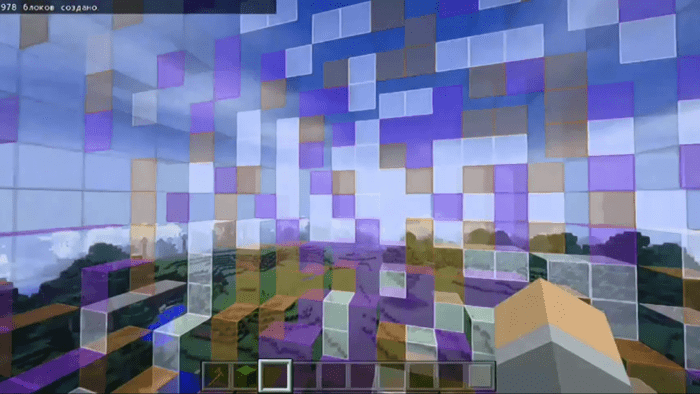
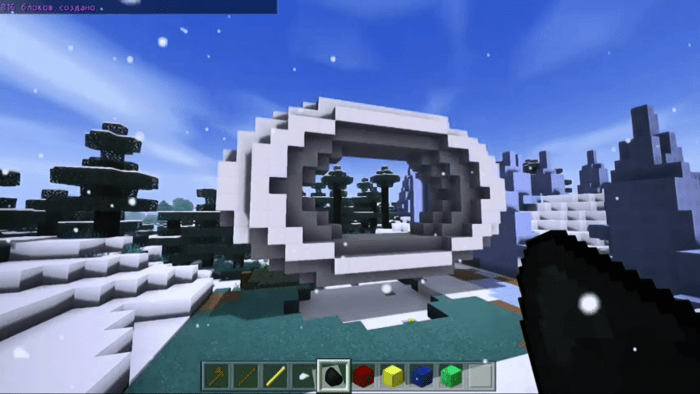
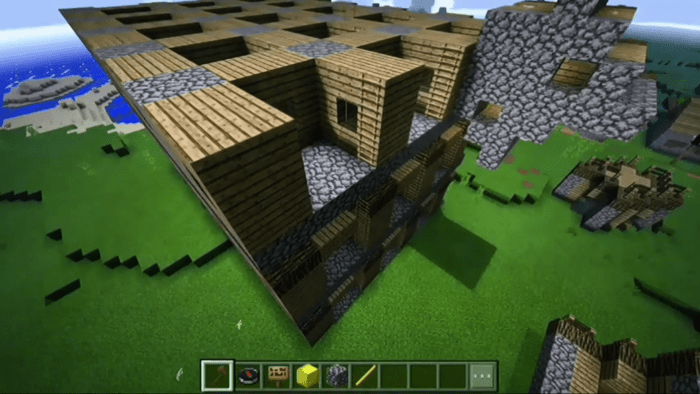
You can open a list of all the commands with /we help in v1 and v2 or with  in v5.0 and later ver.
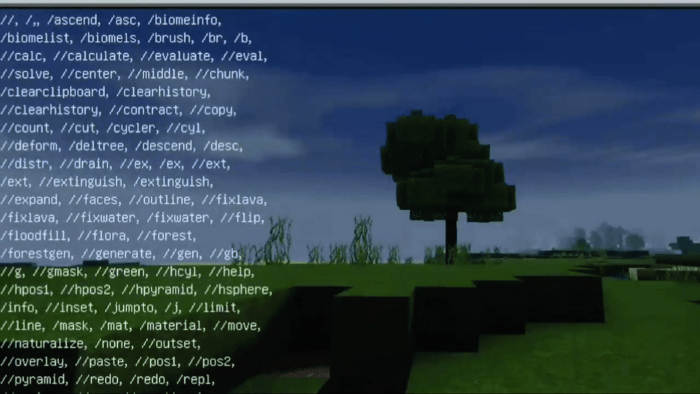
Bonus opportunities (missing in the original on PC)

You can change the language with /we menu (added in v3.0, earlier versions Russian only), supported languages are Russian (default) and English
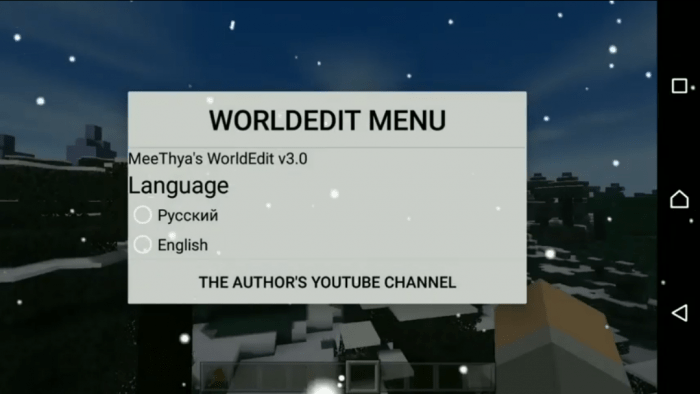
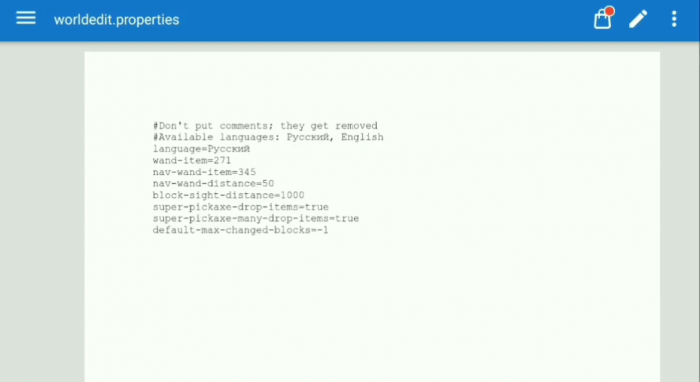
In v5.0 and later ver., this property exists in games / com.mojang / minecraftpe / config / worldedit / worldedit.properties with some other changeable settings
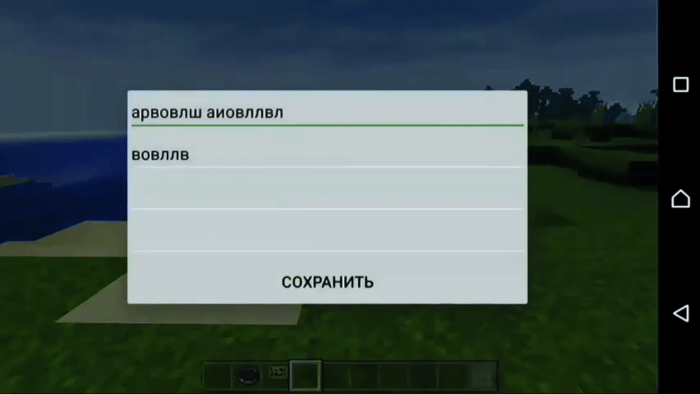
You can post-edit signs with a simple tap on them (added in v4.0)
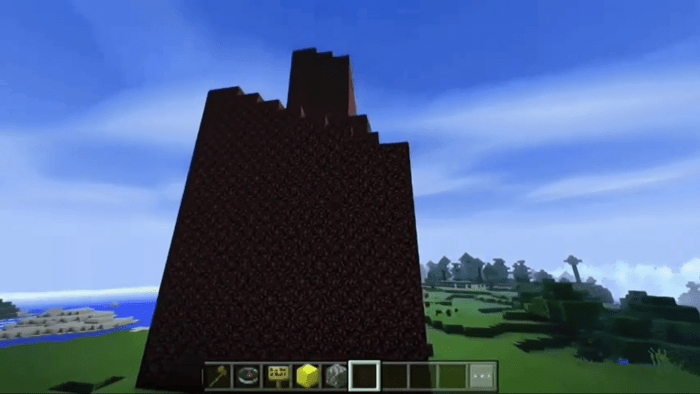
and generate the Nether Spire (undo-able, no holes!) with old nether reactor (added in v4.0) but then you need to set core (ID 247)
Thus download the mod and edit your world with it!

Supported version: any full version where BlockLauncher is okay

Recommended version: 1.2.x

Click here to watch review of each version (Russian)

Thanks MCPEHUB for helping with the development.

Select version for changelog:

Changelog

Fixed some bugs, replaced file (without changing link), edited the description respectively.

Installation

Note: This mod works Android only (sorry, it doesn't look possible to make a mod like this for iOS or Windows 10 but I hope I'll find a solution to the problem).

  • Make sure you have downloaded and installed BlockLauncher for your Minecraft.
  • Download any version of the mod, make sure the file is in .js format.
  • Open your BlockLauncher.
  • Open BlockLauncher menu.
  • Select Manage ModPE Script, make sure it's turned ON.
  • Select + (Import).
  • Select Local storage.
  • Select the folder the mod is downloaded to (as a rule, Download folder).
  • Select the downloaded .js file.
  • Well done!

Supported Minecraft versions

86 Responses

Comments 86
4.3 / 5 (27 votes)
1
Please update this to version 1.16.
I want this.

If you read this feedback, please reply.
Log in to Reply
1
i can't download this it says an error
Log in to Reply
Eh I’d say it when im done
Log in to Reply
idk how to use a zip so make it mcpack please
Log in to Reply
can u make it a mcpack please and for 1.16 bc id how to do that zip thing ima kidso please update that
Log in to Reply
1
Not possible it 1.16
Log in to Reply
PLEASE update this for 1.16 this is an amazing world edit mod and I will die if i cannot use it! Thank you!
Log in to Reply
Pls update to support v 1.14 plsss
Log in to Reply
it works for me
blocklauncher 1.14.1
Log in to Reply
how to you install it to Minecraft? it says it cant because the creator is unknown. please help
Log in to Reply
Guest-3193672378 May 07, 2020 at 7:32 am
Could you make it an addon not a script please because block launcher doesnt work anymore ms/mr creator and script maker members please thank you
Log in to Reply
How to use schematic ?
Log in to Reply
please fix the language ang make it in English! I do not speak nor understand Russian!
Log in to Reply
Is It possible to download for this for Minecraft on Windows 10, and if so, can you tell me how?
Log in to Reply
i have the same problem
Log in to Reply
1
I technically agree to you but I think it should be supported on IOS too
Log in to Reply
Looks good but why do you need Block launcher for it? Block launcher doesn't even work anymore. Is it possible do make this into an .mcaddon file?
Log in to Reply
can you fix the mod cause when i use the //undo command its crashes my game on Android
Log in to Reply
when multiplayer
Log in to Reply
1
In 1.9+, BlockLauncher's working worse in a lot than in earlier versions, it (mostly annoys!) can't not to crash working with signs (broken Level.setSignText). So I still can't advise anything besides turning Minecraft to an earlier version (1.2 is the best) or/and (underline whichever is correct) begging Zhouwei to fix this crashness. The only one thing I can do to solve for this problem is to warn it in future re-coded WorldEdit but it's time-consuming.
Log in to Reply
so can 1.14 works for this
Log in to Reply
When you can can you please update it to the newest Version of pocket addition (1.16.1)
Log in to Reply
you would have a gamertag so you can help me please
Log in to Reply
You need to do save target as (for xbox)
Log in to Reply
Us the "/fill" command in minecraft don't use this
Log in to Reply
Never download things made by Russian people. I downloaded a free version of minecraft and it was Russian and my computer got completely wiped out and my brother downloaded this and the same thing that happend to me happend to him. Please don't download this.
Log in to Reply
Don't generalize buddy.
Log in to Reply
u deserve that 4 pirating the game and stealing money from hard working developers.
Log in to Reply
Nope because ur dumb.Never download games from untrusted websites
Log in to Reply
This is Mcpe dl!!! And not anything another Site with Viruses!!!
Log in to Reply
... Dosnt change anything, it’s mod, not like it’s a executable file or anything.
Log in to Reply
WHY IS THIS FOR (ANDROID ONLY!!??)
Log in to Reply
U could use forge for PC versionsa
Log in to Reply
Because of block launcher
Log in to Reply
Any way of making it english
Log in to Reply
Hey please make a zip file
Log in to Reply
Is this. xbox compatible, and yes i do realise that it says (Android). I'm curious
Log in to Reply
I love this mod because it helps me biuld quicker and saves time
Log in to Reply
Is it possible to copy something from one world and paste it in another?
Log in to Reply
1
Why not:) until you leave the game, otherwise use schematics:)
Log in to Reply
Guest-4577048374 May 19, 2020 at 3:25 pm
Thya I love the idea of this but just make it a .mcpack it is so much easier with windows 10 and android/ios. Please reply back soon.
Log in to Reply
Why
https://i.imgur.com/XzQeoQG.png
Log in to Reply
Hi can you maybe make it for Windows 10(Bedrock Edition) its written in c++
Log in to Reply
This mod literally saved me a few days of straight building. Words literally cannot define how thankful I am for this mod! Thank you!
Log in to Reply
Krishna Gopnarayan July 27, 2019 at 7:55 am
Pls help how do I change into English in final version pls help
Log in to Reply
/we menu
then click on english
Log in to Reply
how do install this for pe downloaded from apk
Log in to Reply
Hey, I hope you frequently check the comment section here. I have the problem, that blocklauncher crashes when I set (any) blocks within an area of 11x11x11 (or bigger).
I used the axe to select two points and played on MCPE v1.12.0.28 (Blocklauncher v1.26.1).
Maybe I missed a setting in the properties?
If you need any further information let me know how to contact you!
Log in to Reply
I have the exact same problem. Did you find a solution or any other world editor that actually works?
I'm trying to get some structures into my world using schematics
Log in to Reply
1
The latest BlockLauncher versions work much worse than Minecraft 1.2's, for ex. crashing ModPE-API's "Level.getSignText" in 1.9+ makes working with signs impossible... I hope warning it in a new WorldEdit (potential name WorldEdit-ModPE+) that I'm working on.
Log in to Reply
Gooooo, Meethya. Soooo... I downloaded the latest script. Can u pls tell me what app I should use to change the default file language to english? THX in advance
Log in to Reply
1
The default language is Russian but it is changeable with /we menu and clicking English (then the default changes).
Now, I'm working on a new WorldEdit making the default language Russian if Minecraft language is Slavic or English otherwise. Maybe it will be possible even to add a custom translation:)
Log in to Reply
How do i change the language????? Please help me :{
Log in to Reply
I wrote about it.
In any version besides v1 and v2, you can change it with /we menu (if BlockLauncher is okay)
In v5.0 and Final, this setting is saveable (because of the added .properties file)
Log in to Reply
can i use this for windows 10
Log in to Reply
Nope but u can use the java file of this file on other websites.Then use an forged for that
Log in to Reply
OM gosh this is the exact thing I was looking for a few days ago!!!
Log in to Reply
This was the exact thing I was looking for a few days ago!!
Log in to Reply
I'm a windows user but bring it for windows 10 and ios please!
Log in to Reply
1
Dude make it for iOS, I have been trying to find a world edit Addon for iOS for freaking ages now please make it for freaking iOS
Log in to Reply
1
It's still impossible to make WorldEdit working as an addon (behaviour pack) but I think a hope for ModLoader exists...
Log in to Reply
Make it for iOS! We don’t have blocklauncher!!!
Log in to Reply
How do you get ti
Log in to Reply
I would like to use it, but all it downloads is a bunch of text that I don't know what to do with.
Log in to Reply
That text is a script which you need to run with an app called blocklauncher. It will only work if u have blocklauncher AND minecraft installed. The installation instructions can also be found near the end of the mod desc.
Log in to Reply
I am using ios, I don't have blocklauncher.
Log in to Reply
There are a ton of servers that could use this, is there any way to turn this into a plugin for server owners to use?
Log in to Reply
iOS doesnt have blocklauncher
Log in to Reply
My condolences, it doesn't look possible to make a mod like this for iOS or Windows 10...
Log in to Reply
Worldedit add on(Android)
iOs DoEsN't HaVe BlOcK lAuNcHeR
Log in to Reply
burger with moldycheese July 22, 2019 at 4:50 am
allow this for windows 10 please :)
Log in to Reply
Discrimination against iOS. What if I wanna fill big spaces without the risk of f*cking up my city?
Log in to Reply
How it’s discrimination are you dumb I’m on iOS and so what it’s because android is easier to get files and download non apple files
Log in to Reply
I'm afraid most likely it's impossible to make a mod like this for iOS (so that the mod can work the same way without any app like BlockLauncher). I don't know if I can solve this problem...
Log in to Reply