MCPE DL

Mods, Maps, Skins, Seeds, Texture Packs

LBPR Reload! Bedrock/PE Port

LBPR Reload! v3.1 is a Texture Pack for Java that was designed by 1LotS for the Java Edition. This Resource Pack is a UNOFFICIAL BETA and a Work In Progress. Currently 85% complete so some textures are missing.

This is the 128x Version.

Any and all updates that I push out for this pack will be based upon any updates that 1LotS makes to the Java Pack.

Join the LB Photo Realism PE Discord today for all news regarding my port and to bring any bugs to my attention. You will also have a 100% of getting a response from me there. Link at the bottom next to the download link.

"LB Photo Realism Reload!" is a photo realistic resourcepack made by 1LotS that is based on the work of Scuttles (LB Photo Realism). "Reloaded" version is very different from the original, because it uses very old textures of LBPR. The main purpose of this resourcepack is to make minecraft look not only as realistic as possible, but also to make it look beautiful and attractive to new players. LBPR Reload is pretty close to default Minecraft textures, so it won't be a big issue to start playing with it. The pack includes many 3D-models, animations and random textures.

Source: https://www.curseforge.com/minecraft/texture-packs/lb-photo-realism-reload

Here, are a few sneak-peaks of the pack in action!

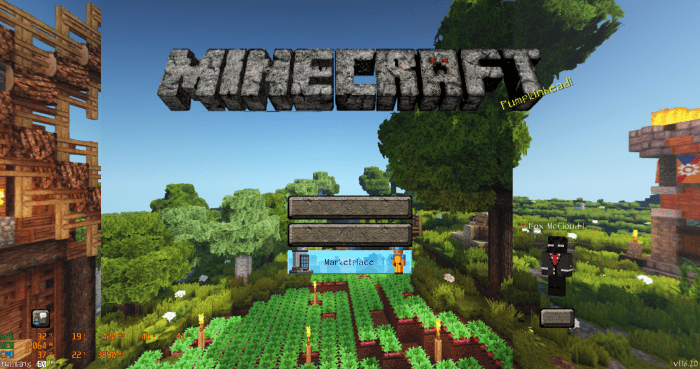
The Main Menu:

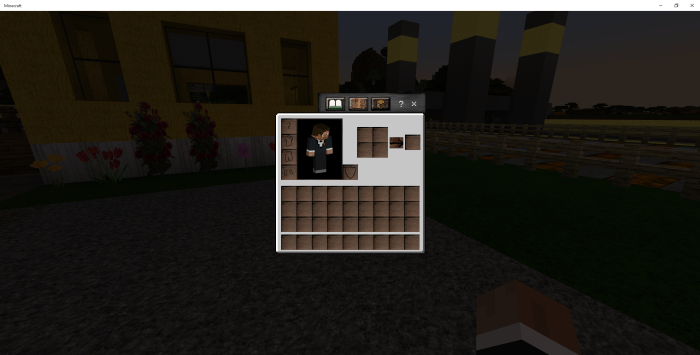
The Survival Inventory:

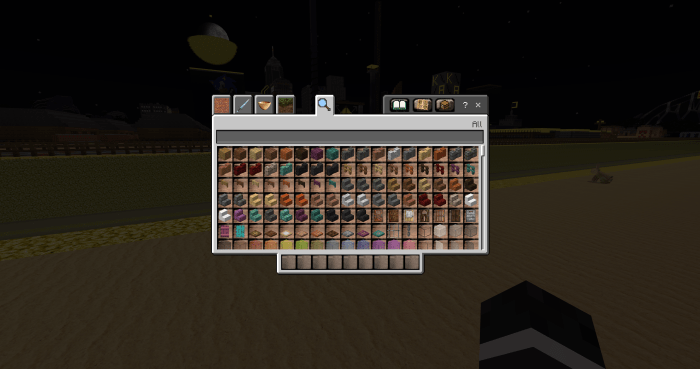
The Creative Inventory:

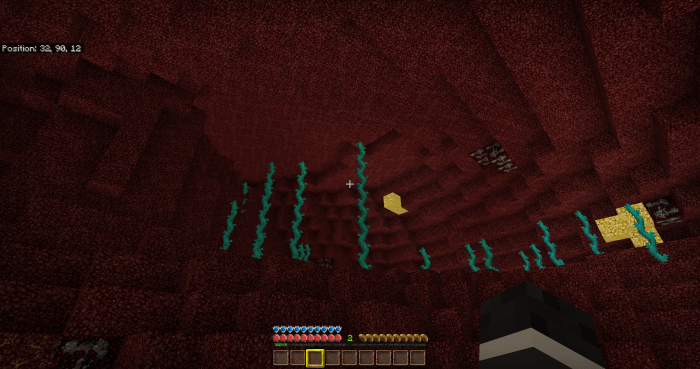
The Nether:

(And the Health, Hunger and XP Bars)

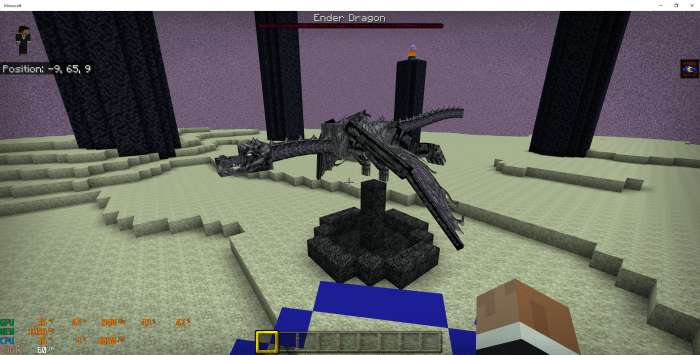
The End Dragon:

(I had to use night vision in this image because it kept coming out darker then it actually is in the game. So keep in mind it is actually not this bright in the End Dimension.)

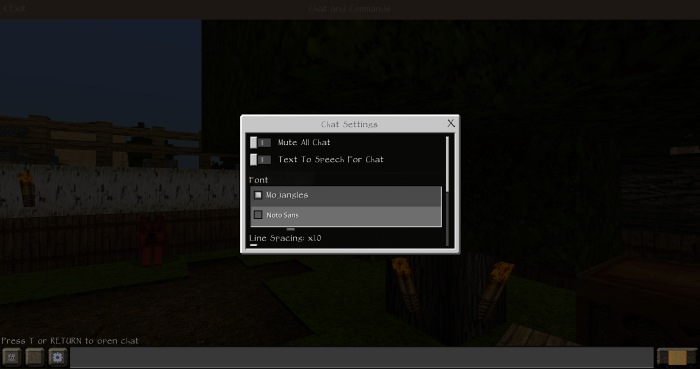
Make sure to open the Chat, click the Gear and set the font to Mojangles. If you do not the chat will appear as the default font.

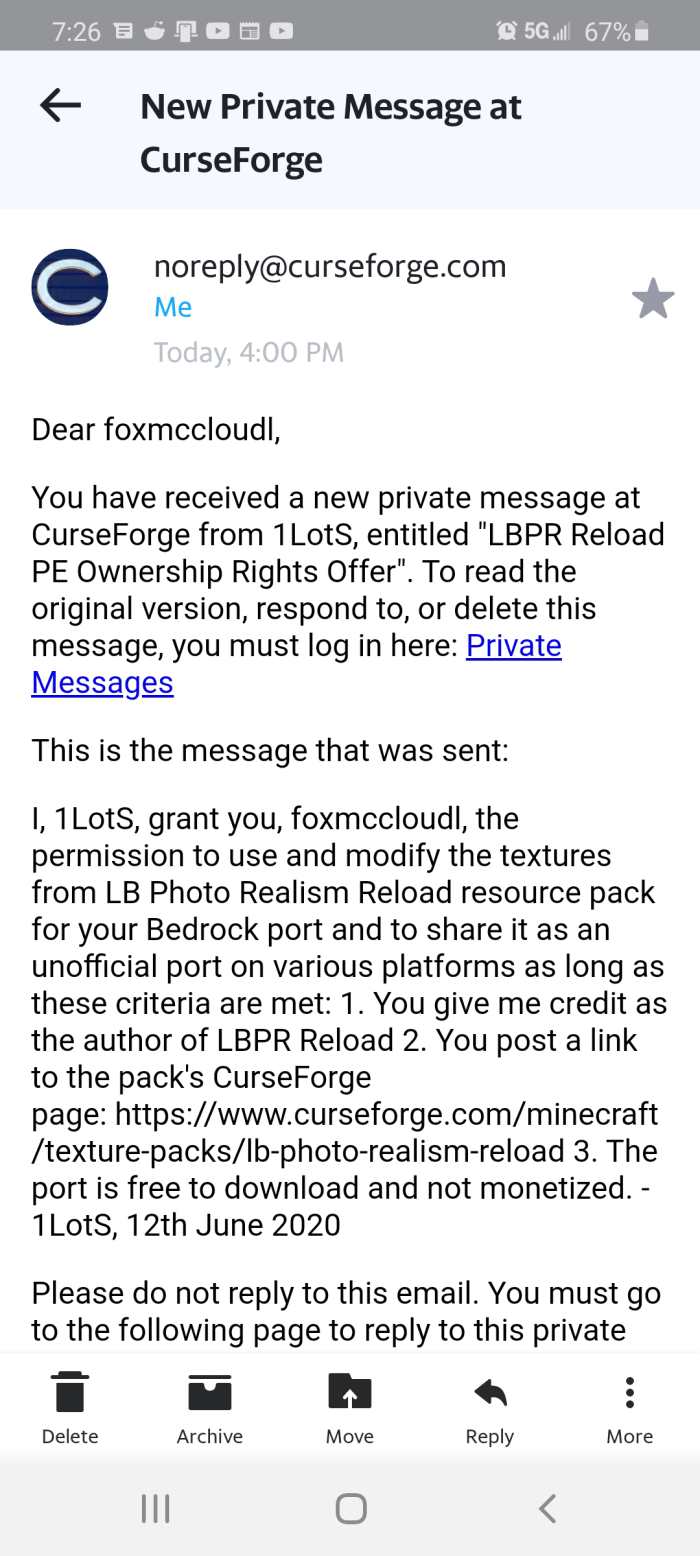
My permission to modify and share this pack at will.
Select version for changelog:

Changelog

LBPE 1.16.4 Changelog

ADDITIONS:
* Added the Snow Fox textures
* Added the Conduit textures
* Added the Conduit particles
* Added Piglin texture
* Added Piglin Brute texture
* Added the Quartz Bricks texture
* Added the Weeping Vines textures
* Added the Ancient Debris textures
* Added the Carrot texture
* Added the Potato texture

CHANGES:
* Changed the enchanting glint texture
* Changed the Nether Portal texture
* Changed the Sheep texture
* Changed the Pig texture
* Changed the Creeper texture
* Changed the Dragon's Breath texture
* Changed the Potion Bottle textures
* Changed the Dragon's Breath texture
* Changed the Mycelium to match the vanilla color
* Changed the Purpur Pillar textures
* Changed the End Stone Bricks texture
* Changed all the Shulker (Box) textures
* Changed the dirt texture

FIXES:
*Fixed Campfire and Smoke textures

Installation

Sorry folks, I have to use a external download link due to a 50MB size restriction. This pack totals out at 107MB.

Tested using Windows 10, Xbox One X, Samsung Galaxy S8 and Samsung Galaxy S20

Windows 10: Double-Click the .mcpack

Android: Tap once on the .mcpack

Console: Tools Needed: a device with the pack installed and a realm subscription. When tested on my Xbox One X there were some minor graphical errors that did not occur on either Windows 10 or Android so use at your own risk!

1. On your chosen device and at the Minecraft Main Menu, click/tap on Play>Pencil next to your Realm>Resource Packs>My Packs>LBPR_PE v1.16>Activate>Play.

2.Once Minecraft has applied the pack and you have joined your Realm, verify that the pack is active and then Save & Quit.

3. Now move to your console and join your realm like normal. You will be prompted to download the applied pack (LBPR_PE).

4. To find the pack on console, from the Main Menu, choose Settings>Storage>Cached Data.

Supported Minecraft versions

Resolutions

Installation Guides

32 Responses

Comments 32
1
is there a way to make an RTX version with working light emitting blocks
Log in to Reply
1
I Cant Download Can You Make A Mediafire Link
Log in to Reply
1
Google drive is my only option. While it does not show it in the permissions picture, 1LotS forbade me from using sites like adfly and mediafire because I can make money off of the ad revenue. The pack is to be free is EVERY form possible. You and I are only allowed to make money off of the pack via Youtube, Twitch or Mixer.

Any Complaints about this issue can be addressed to 1LotS either on Discord or Curseforge. Sorry I can't help any.
Log in to Reply
1
Can you update it for the 1.16 nether update please?
Log in to Reply
1
Other than that it's great!
Log in to Reply
1
Already at 1.16. Some textures are still missing. Trident, Compass, Clock, some new nether blocks, most new nether mobs, most boats. Just to name a few. Join the Discord Chat to get faster response times from me!
Log in to Reply
the block texture contains some 512 textures and some add on textures like better foliage textures that makes the file larger that can result to crashes on most devices. I suggest that you clean and add only the mcpe files necessary because mcpe dont need the better leaves and connecting textures yet. thanks
Log in to Reply
Is fixed in the version I have in beta testing at the moment. Ironing out UI bugs on console before release.
Log in to Reply
Make a 64×64 version
Log in to Reply
oma client
Log in to Reply
Hey, the PE link says that it is not available.
Was it removed?
Log in to Reply
Its says the file is not available
Log in to Reply
1
The pack disappeared from my onedrive for some reason. Will be back up in a couple days :)
Log in to Reply
For some reason the file in cloud is no longer available, could you fix this?
Log in to Reply
My game hard freezes on 1.16 when trying to load a world with this resource pack applied.
Log in to Reply
1
I discovered this last night as well. Please wait for a patch.
Log in to Reply
When i press play i for some reason get an infinite loading screen. dont even get to select a world or nothing, Did i stuff up somewhere or is it the new update?
Log in to Reply
Can you make it so that the leaves are more like leaves like in the background of the first picture
Log in to Reply
Ahh... Yes one of the OG Minecraft Texture-packs back to life. Thank You for the NOSTALGIĄ. <3
Log in to Reply
1
let me guess, resource pack converter : )
Log in to Reply
1
Could be, but some textures, I'm guessing, was ported manually.
Log in to Reply
1
All of the texture were ported manually.
Log in to Reply
(ihategravel) Well you did a great job then! : ) I ported a pack manually myself and I realize how much work it is.
Log in to Reply
1
1
"(ihategravel) Well you did a great job then! : ) I ported a pack manually myself and I realize how much work it is." was me mcpedl wouldn't let me sign in at the time. : )
Log in to Reply
1
Actually no. I used the example Vanilla pack downloadable from minecraft.net/addons to learn how to name each image/folder for Bedrock. Some images such as the Menu Options and other UI features, I actually had to some cutting and resizing with MS Paint. Then upscale with Gigapixel AI to meet the image size necessity for the image to fit while at the same time, hold it's original quality. There are actually a couple that are still off a tad if you look closely. :)

This took around 3 months of my spare time to get working properly. I take more pride in my work then one of those nonsense converters...
Log in to Reply
is this laggy or not
Log in to Reply
1
There were not any FPS dips on any of the devices that I tested this on. Unlike the Java version, Bedrock/PE does a really good job at maintaining 60fps when using Texture Packs.

Enjoy!
Log in to Reply
For mobile if you use minimal render distance it is constantly 60 fps, in a flat world w/o entities
Log in to Reply
1
On the Galaxy S8 it was holding steady at roughly 55-60 FPS.

On the S20 it was between 55-60 FPS when set to run at 60 FPS cap. It ran between 110-120 FPS when locked at 120 FPS cap.

Windows 10 was a constant 60 fps.
Log in to Reply