
MCPE DL

Mods, Maps, Skins, Seeds, Texture Packs

Published on December 09, 2020 (Updated on December 11, 2020)

Java 1.7 Animations

Do you hate the vanilla bedrock player animations and general feel of the new bedrock? Or maybe you want yet another way to make bedrock closer to java PVP. Look no further, because this pack makes many improvements and tweaks to player animations to more closely resemble Java edition 1.7 (and even bedrock 1.12!).
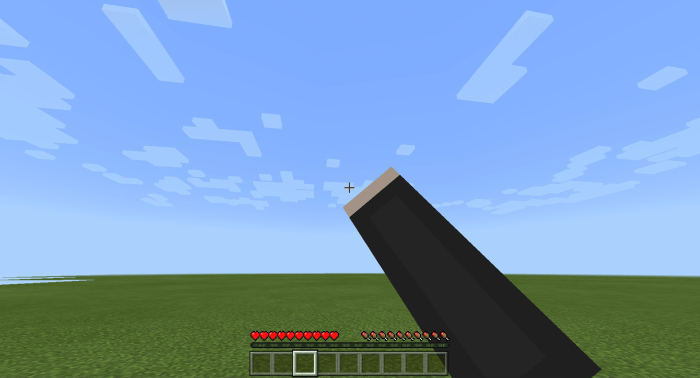


One of the most notable changes is the tweaking of right hand position and rotation, both in 1st and 3rd person. Body rotation has also been tweaked to more closely resemble java edition. 
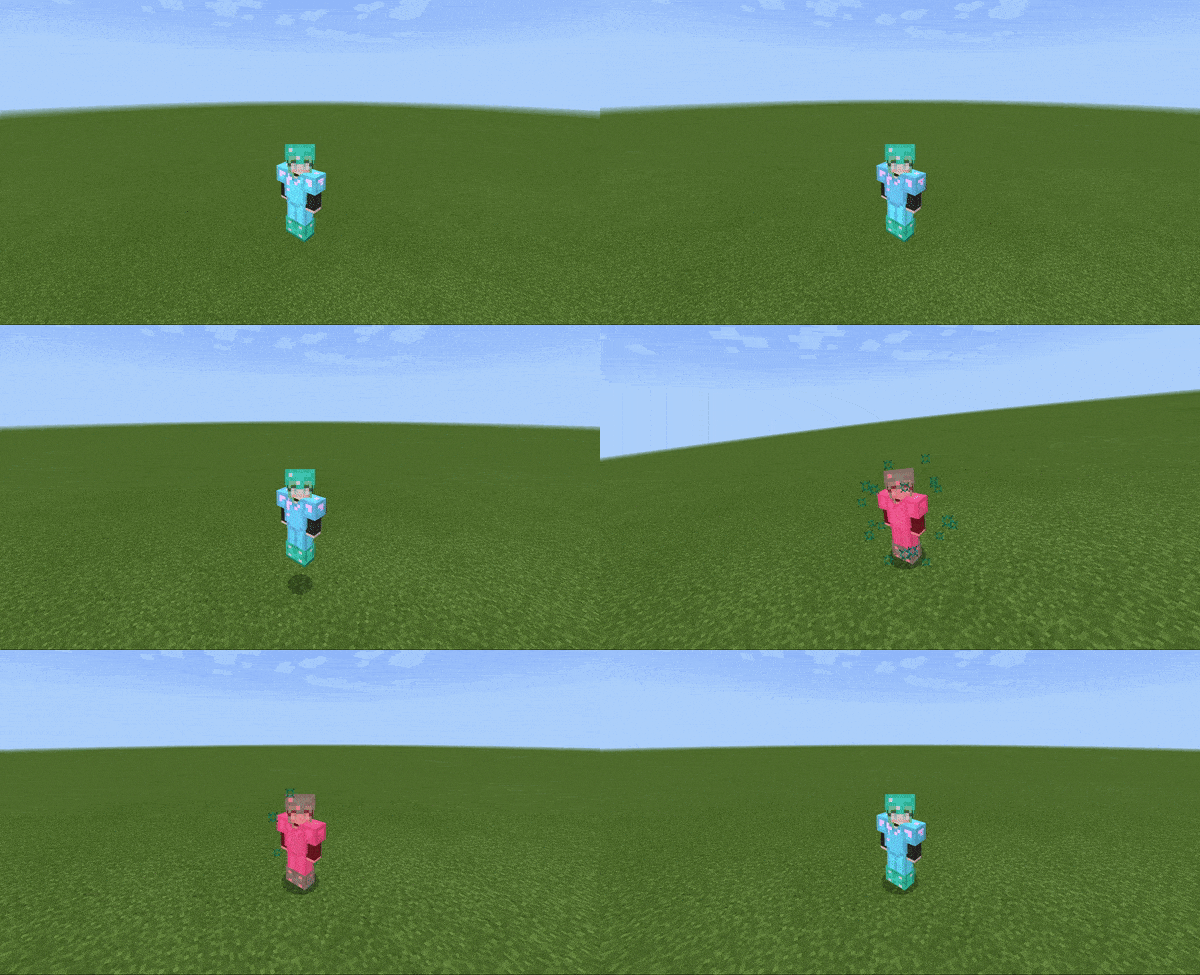


The armor now will turn red when players take damage. You can also change the tint to match bedrock edition 1.12 in the subpacks section. Damage particles are included.
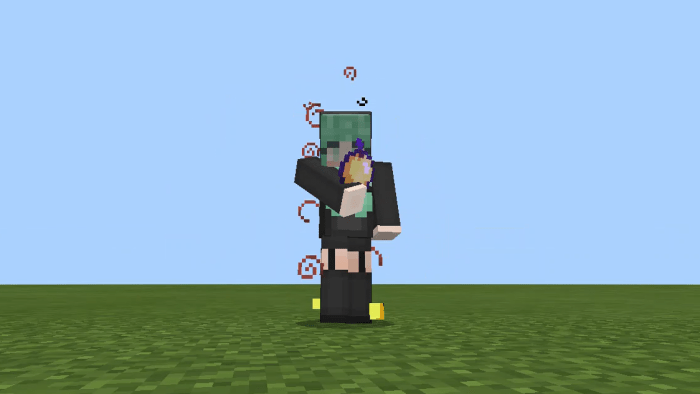


The player now has the 1.7 "punch-eating" animation when eating food or drinking a potion, just look down at the floor to activate.
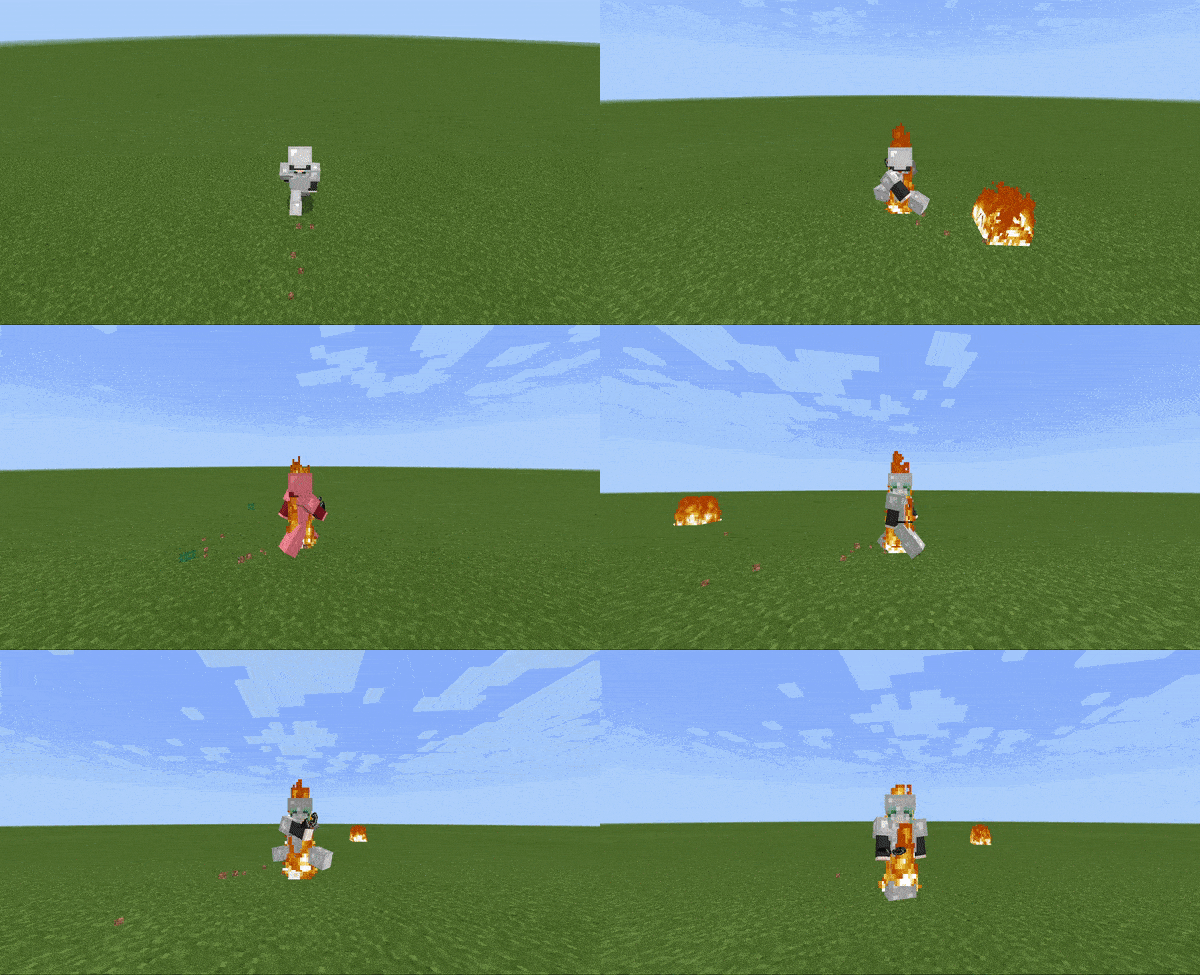


The fire model now extends throughout the entire player's body, like in java edition. The orange fire overlay has also been disabled.
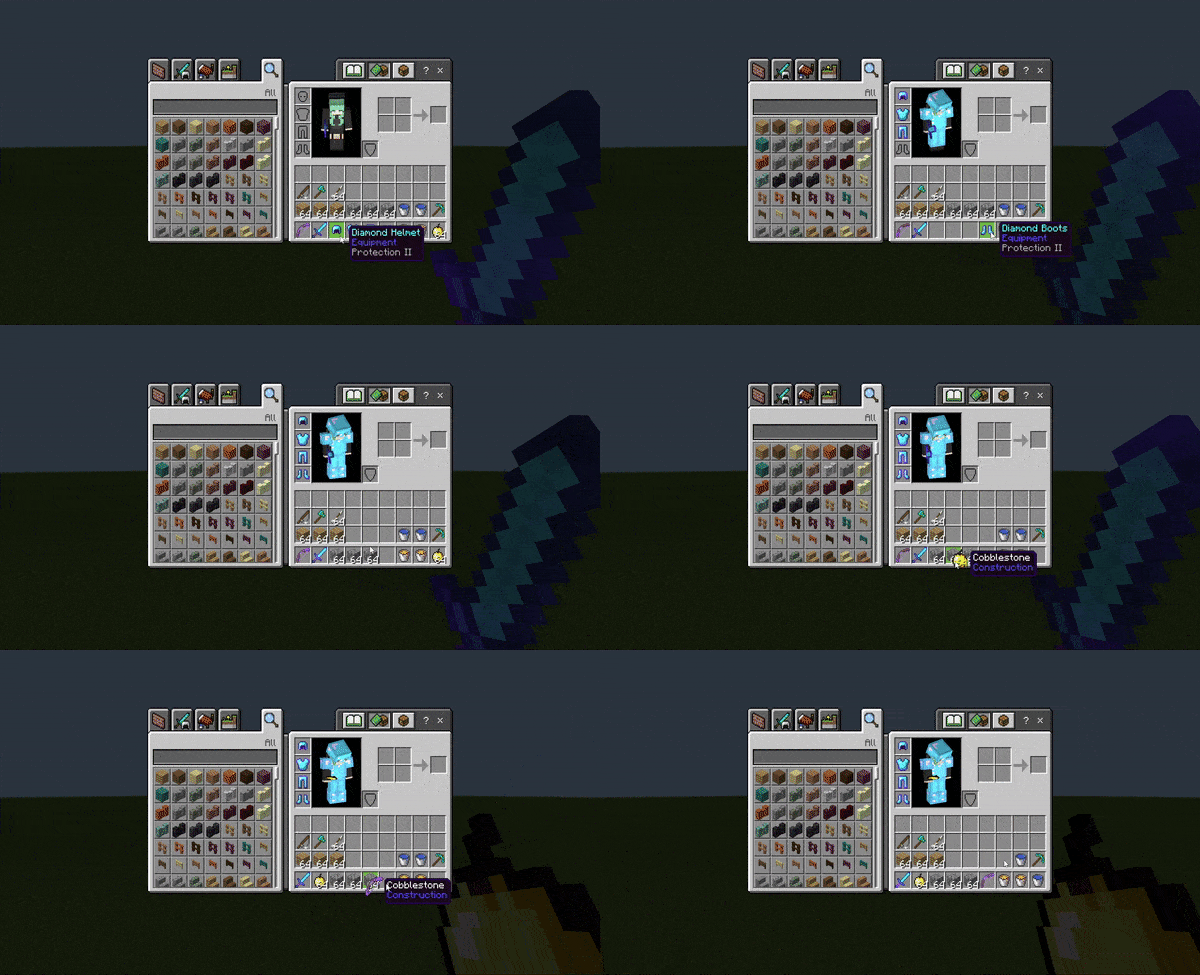


Inventory shift-clicking animations, slot border, and hotbar popping animations have been disabled, as they appear in Java edition. Thanks for the help LukasPAH!
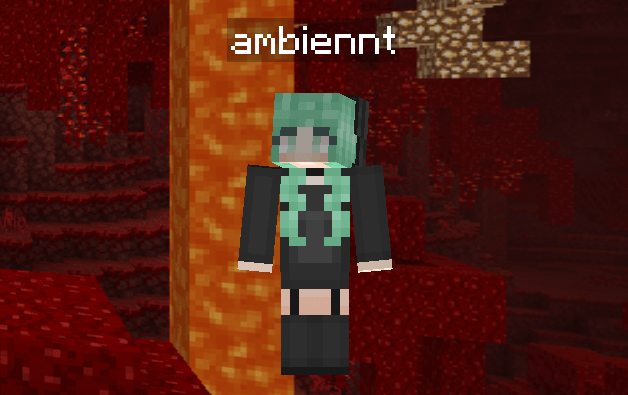


The player model now renders 2D in the start and pause menu, like bedrock edition 1.12.
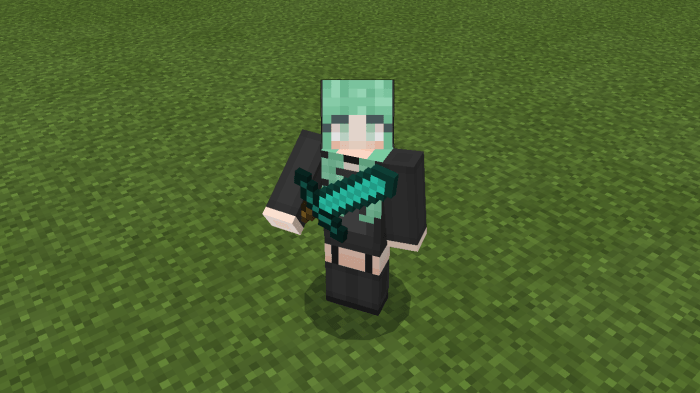


A visual sword blocking animation has been added when you crouch to sneak, and can be disabled with subpacks to fit your preference.
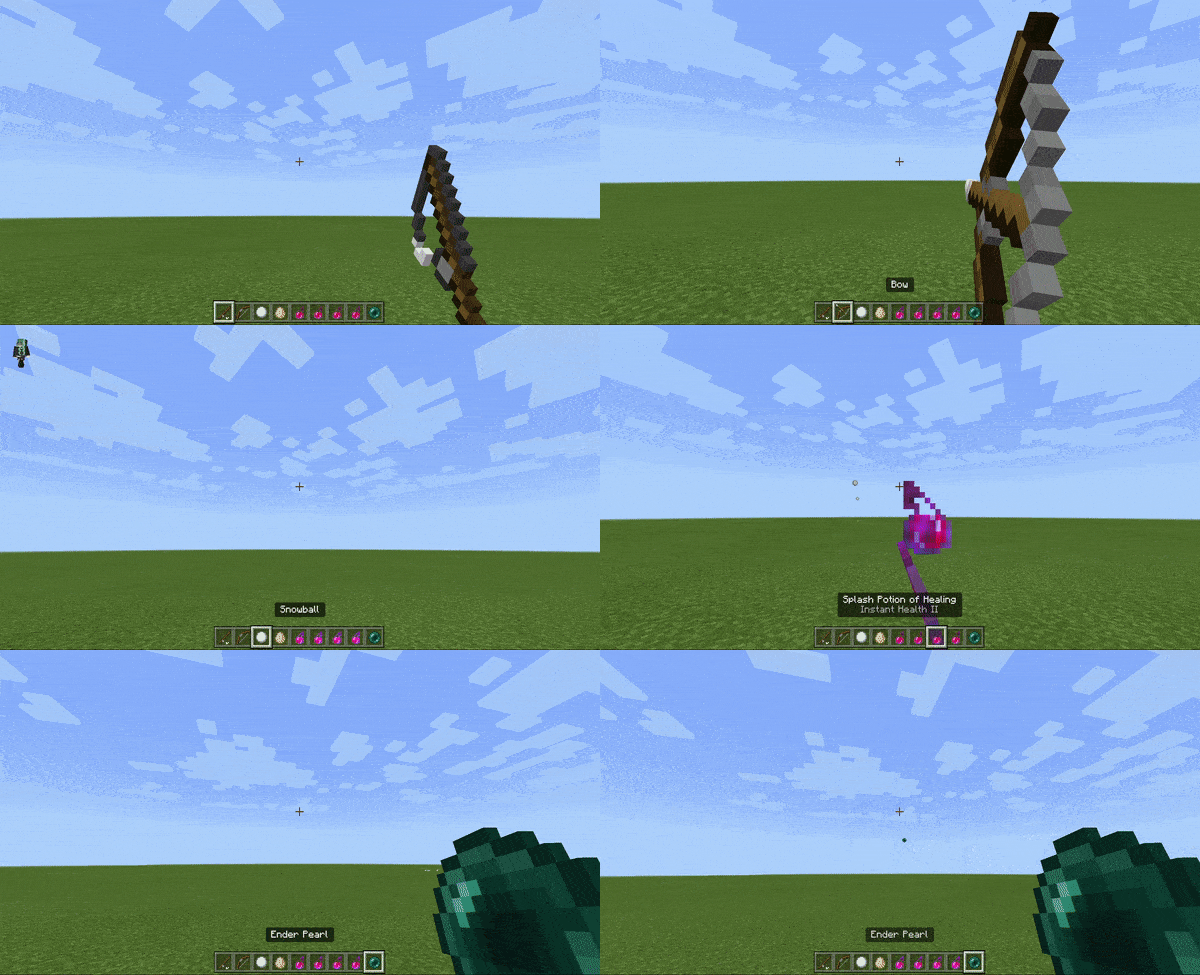


Fishing rods now have critical hit particles and the bobber is 2D. All other projectiles are now scaled according to their distance from the camera, like in Java edition.
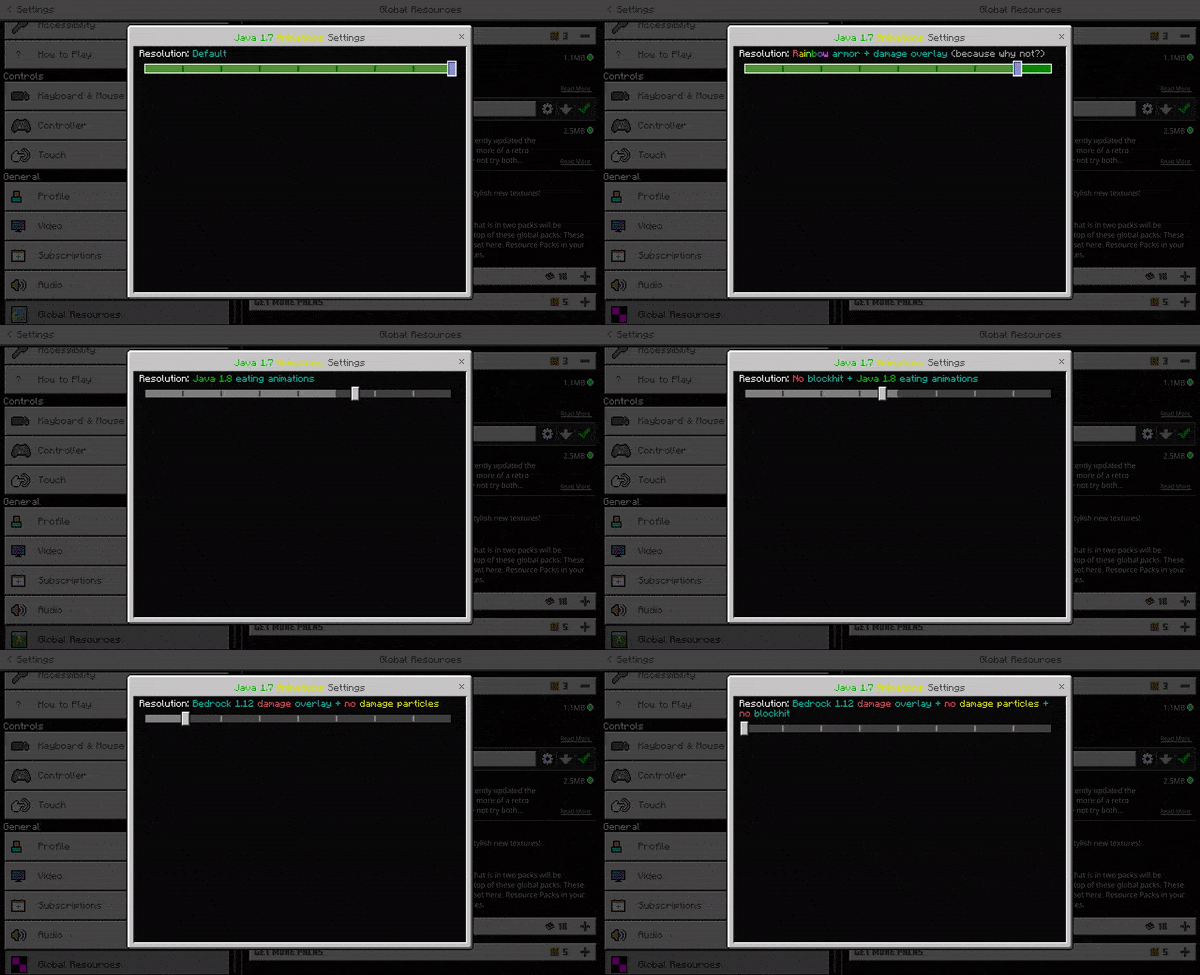


You can choose from 9 different subpack settings, which in turn means I have a higher chance of satisfying everyone. You can disable the sword blocking animation and damage particles, disable the punch-eating animation, change armor overlay color, or even make your player damage overlay rainbow. You will have to restart your game in order for these subpack changes to take effect. 

This pack now supports ALL stable versions of 1.16, since 1.16.100+ kind of sucks.

KNOWN ISSUES: 
-Your capes and/or custom geometry will likely break while using this pack. DO NOT CONTACT ME ABOUT IT! 
-Leather armor color on players does not work with this pack due to a bug on Mojang's end since 1.16.100. I wish I could fix it, but it would otherwise instantly crash the game.
-custom enchantment glints that pull from the enchantment glint texture are not supported on armor.

If you plan to use this pack in your own resource pack/client/video, you MUST CREDIT ME! 

My contacts: 
discord: ambient#2309
Youtube channel (subscribe if you want to see more packs!)

Installation


Supported Minecraft versions

Installation Guides

58 Responses

Comments 58
4.69 / 5 (29 votes)
1
The fishing rod texture is broken
Log in to Reply
1
It randomly fixed and I forgot to leave a review. Very nice Animations. These animations are mind blowing and must of took you a long time to make. defo leaving credits for this amazing thing in my texture pack.
Log in to Reply
1
When are you going to make a chat UI?
Log in to Reply
1
This pack is amazing, you did an amazing job. My favorite part is when you go and download it, it doesn't take you to some random website with adds. The pack was hard worked on and it shows. Love this pack.
Log in to Reply
1
I only want a texture that blocks with a knife
Log in to Reply
1
This pack is very useful, but it hide my cape. Can you fix this problem?
Log in to Reply
1
The cpa problem isnt caused by this pack but rather mojang problem,it seem like there is no way(by the time writing this) to fix this issue
Log in to Reply
1
ok, so delete the invis cape thing in the textures of the pack
Log in to Reply
1
Tysm your packs are really amazing!!
Log in to Reply
1
You ruined my capes pack. Thanks for that, now I'm having a terrible time getting it back.
Log in to Reply
1
Cry some more please, see if I care!!!!!!!!!

In all seriousness, your comment is incredibly ignorant for several reasons.

1) editing the player entity file on the client disables all persona skins including capes. This is a problem with mojang and not my pack

2) I specifically stated that this would happen in the highlighted "known issues" tab.

3) if you care enough to look in the files, you can see a text document called "capes" at the root which details how you can reapply a client-side cape.
Log in to Reply
1
lmaooo pack creator so cruel to idiotic people, big respect :) nice pack btw :D
Log in to Reply
1
#1 Your comment is unacceptable

#2 Microsoft has a bunch of bugs that need to be solved, like blocks appearing in the creative inventory or security issues on some platforms
Log in to Reply
1
Hey! U can download your backpack's pack (free backpack pack) and you can make it more prioty Than this pack it can fix
Log in to Reply
1
alex model skins continue with small right hand (I used the translator to write this)
Log in to Reply
1
What do i do with the zip file when I download it (im stupid)
Log in to Reply
1
You need to go where it downloaded then move it into your minecraft recourse pack folder where all your recourse packs are
Log in to Reply
1
Not working 1.16.200. :(
Log in to Reply
1
Oh wait nevermind
Log in to Reply
1
FINALLY A JAVA PVP ANIMATION THANK YOU OH MY GOD I'VE BEEN LOOKING FOR THIS FOR LIKE A MONTH NOW BTW GREAT PACK THANK YOU AAAH🥺🥰
Log in to Reply
1
Good pack can u add the java running while jumping animation?
Log in to Reply
1
This looks so polished and perfect. I'm just wondering if some ppl are having the same problem as me, in which that other players' 'punch' won't appear? basically looks like they have kill aura or something LOL. Or maybe it's just me .-.
Log in to Reply
1
Make sure this pack is applied on top of all others and remove any other animation packs below. Be sure to use my updated version if youre on 1.16.40 and below
Log in to Reply
1
Dude i like it thanks 🙏🏼👍
Log in to Reply
1
Hiii does it removes the dpad too? Aaaaa
Log in to Reply
1
Hey, im having probably with the eat animation. I've tried on both 1.16.40 and the latest one 1.16.200 but neither worked. Is their a way to fix this?
Log in to Reply
1
It doesnt work on the hive and thats their fault
Log in to Reply
1
1
hi ambient is best animation pack for me

I hope there will be a rp arrow stuck in the player when the arrow is shot like java

or

blood on the screen when it takes damage

dont forget Sub itzRcL. XD lol
Log in to Reply
1
I was the creator of the original chroma ores in Uycl's chroma overlay. I'll say this...
We didn't figure out how to animate items. We could only do blocks. If it's changed that's pretty great, but I don't believe Mojang has added support for animated items, which really sucks.
Log in to Reply
1
ah i meant that to be a reply to the one below I'm stupid
Log in to Reply
1
Can you animated items i know it cant be possible but maybe with 1.16.200 it can try it
Log in to Reply
1
Is there rainbow armour only?
Log in to Reply
1
Nice pack but can you fix the running and jumping animation? Bedrock animation is so stiff I hope you can have a way cuz this is fantastic.
Log in to Reply
1
cant really do that, I tried and it just doesnt work so we will have to wait for mojang to fix
Log in to Reply
1
I think this is really cool! But do you think u can add the java view bobbing animations when view bobbing is turned off?
Log in to Reply
1
camera bobbing animations are hardcoded sadly
Log in to Reply
1
its already on the 1.16.200 update so no need to make it
Log in to Reply
1
I have a pack do you have a Discord? I have a pack for that.
Log in to Reply
1
Yes i have discord its Sportsツ#3010
Log in to Reply
1
Epic texture but can you please tell how to block using sword in mcpe
Log in to Reply
1
Epic texture pack but can you please tell how to block using sword in mcpe
Log in to Reply