

This is a mod which will give you access to two new items which are used to instantly create builds at your desired location. Currently there are more than 60 builds separated into several categories which you can choose from but more will follow as the mod grows.
Creator: wilco375
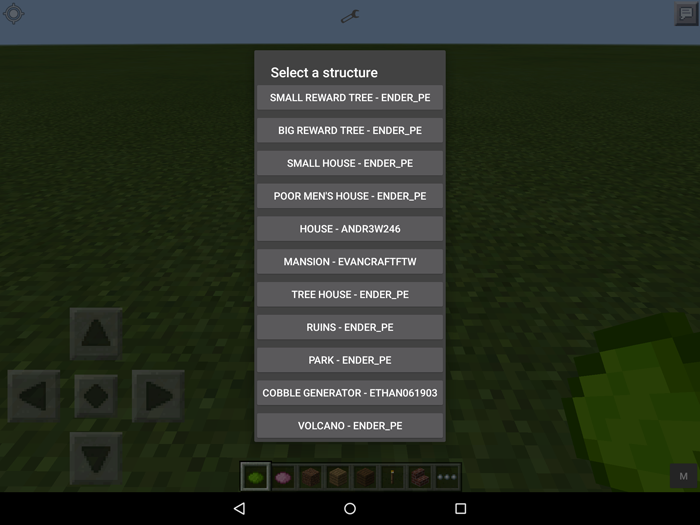 Then use Structure Spawner to create the build. A popup window will appear giving you specific information about the build you are about to spawn. For larger builds the popup window will tell you that you shouldn't panic if the game freezes as you must allow some loading time.
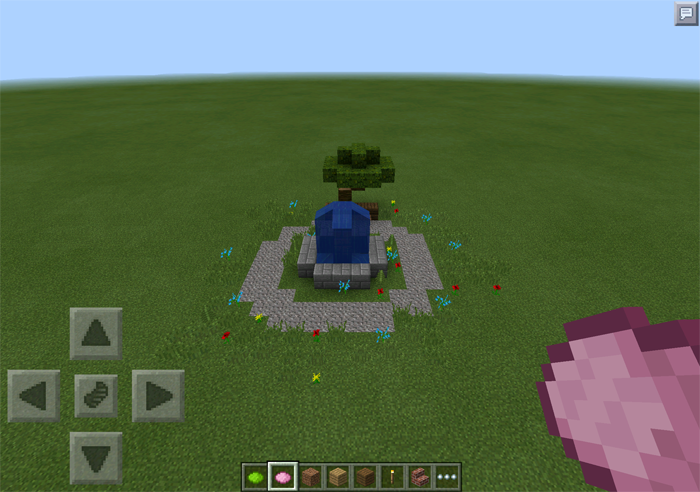
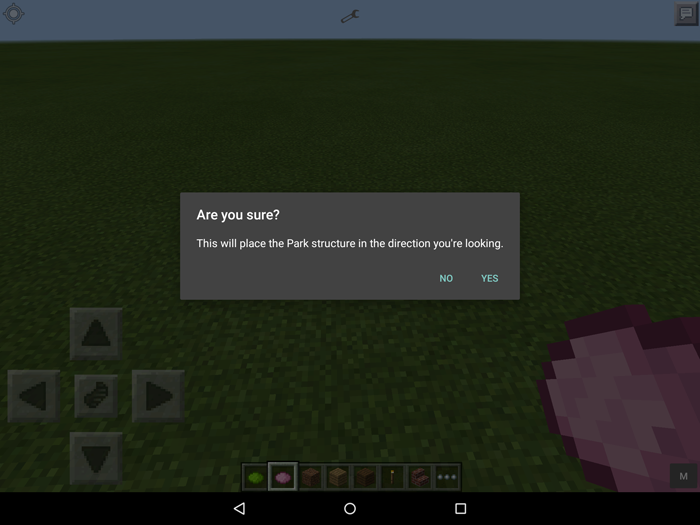 In this example we created a park.

Item IDs & Info
- Structure Selector (500) - Opens structure selector graphical user interface
- Structure Spawner (501) - Spawns the structure
How to use?
The Structure Selector and Structure Spawner items can be obtained either by going in creative mode and get them from the inventory or use the Too Many Items mod. Begin by using the Structure Selector to open a graphical user interface where you can select which creation you want to build.
Then use Structure Spawner to create the build. A popup window will appear giving you specific information about the build you are about to spawn. For larger builds the popup window will tell you that you shouldn't panic if the game freezes as you must allow some loading time.
In this example we created a park.
Available Structures
[gallery link="file" columns="2" size="medium" ids="8891,8892,8893,8894,8895,8896,8897,8898,8899,8900"] [gallery columns="5" link="file" ids="9460,9486,9485,9484,9483,9482,9481,9480,9479,9478,9477,9476,9475,9474,9473,9472,9471,9470,9469,9468,9467,9466,9465,9464,9463,9462,9461,9712,9713,9714,9715,9716,9717,11395,11410,11409,11408,11407,11406,11405,11404,11403,11402,11401,11400,11399,11398,11397,11396"]


105 Responses
Jacob Shkeir
Thanks,
http://wilco375.github.io/downloads/ism_dl_imd.html
and then when i press dowload it takes me to
**ad code**
1. install advanced too many items mod
2.once installed start creative world
3. then, tap the "M" on the top left corner
4. bottom right corner tap "Next" til you get to 3rd page
5. Structure Selector (GREEN) & Structure Builder (PINK) icons are there
6. Put each of those new items in your hotbar
7. Use Selector first then select any area in front of you
8. Pick a category
9. Select and item
10. Switch to the builder
11. Select area in front of you (again)
12. Tap "YES" on pop up
13. Enjoy your new spawned in item!
Hope this helps :)
Thanks, Jacob
And it hangs.
1. Have you tried disabling all other mods in your BlockLauncher before you imported the .js file?
2. Have you used this tutorial to install it? http://mcpedl.com/how-to-install-minecraft-pe-mods-for-android/
Btw, you need Android for it to work.
org.mozilla.javascript.EcmaError: ReferenceError: "mansionGUI" is not defined. (ISM V0.8 - Houses-2.js#56)
at org.mozilla.javascript.ScriptRuntime.constructError(Unknown Source)
at org.mozilla.javascript.ScriptRuntime.constructError(Unknown Source)
at org.mozilla.javascript.ScriptRuntime.notFoundError(Unknown Source)
at org.mozilla.javascript.ScriptRuntime.getNameFunctionAndThis(Unknown Source)
at org.mozilla.javascript.Interpreter.interpretLoop(Unknown Source)
at script.useItem(ISM V0.8 - Houses-2.js:56)
at org.mozilla.javascript.Interpreter.interpret(Unknown Source)
at org.mozilla.javascript.InterpretedFunction.call(Unknown Source)
at org.mozilla.javascript.ContextFactory.doTopCall(Unknown Source)
at org.mozilla.javascript.ScriptRuntime.doTopCall(Unknown Source)
at org.mozilla.javascript.InterpretedFunction.call(Unknown Source)
at net.zhuoweizhang.mcpelauncher.ScriptManager.callScriptMethod(ScriptManager.java:257)
at net.zhuoweizhang.mcpelauncher.ScriptManager.useItemOnCallback(ScriptManager.java:268)
at dalvik.system.NativeStart.run(Native Method)
wilco375, the mod creator
block launcher pro
Here's the link I got it from: http://mcpedl.com/wp-content/uploads/2015/02/ISM_V0.5.zip
Or use the Too Many Items mod to spawn the items in survival:
http://mcpedl.com/too-many-items/ (works with all mods)
http://mcpedl.com/advanced-too-many-items/ (doesn't work with all mods so use but understand this)
(Going to ask the creator to add alternative downloads for people not understanding how to use the web address mod loading in BlockLauncher or download the .js file off the page directly.)
http://mcpedl.com/how-to-install-minecraft-pe-mods-for-android/
Where did you create that build where it got really dark?
I tried creating a "Small House" far underground where it was pitch dark. I had no problem with the lighting when placing torches.
**code**